Why this was needed
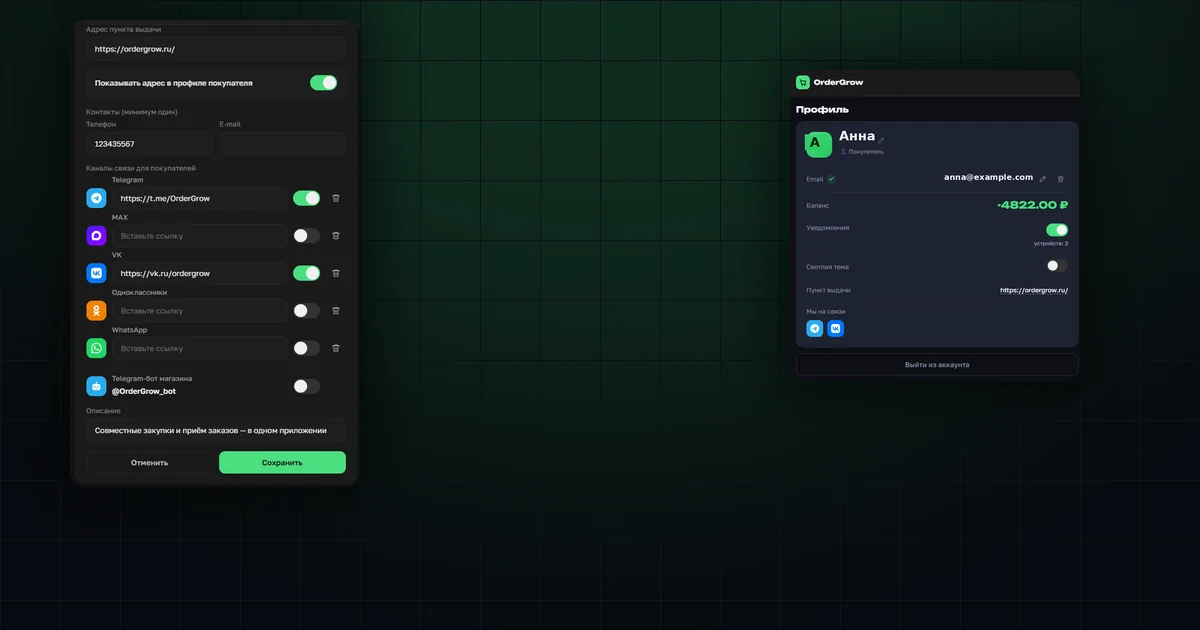
Our key partner for Moscow and the Moscow region — LIADA.pro — pointed out that in OrderGrow, an e-commerce and group-buying app, buyers couldn't find related communication channels — groups and channels where the seller runs promos and answers questions — or see a pickup address or store location.
Having looked into it, we brought every related communication channel into one place — the admin settings.
Contact channels in settings
Settings now include a list of contact channels: Telegram, MAX, VK, Odnoklassniki, WhatsApp. Each is added from a dropdown labeled "Add channel" — compact, with no separate page needed per messenger or social network.
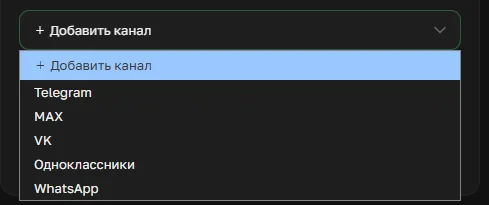
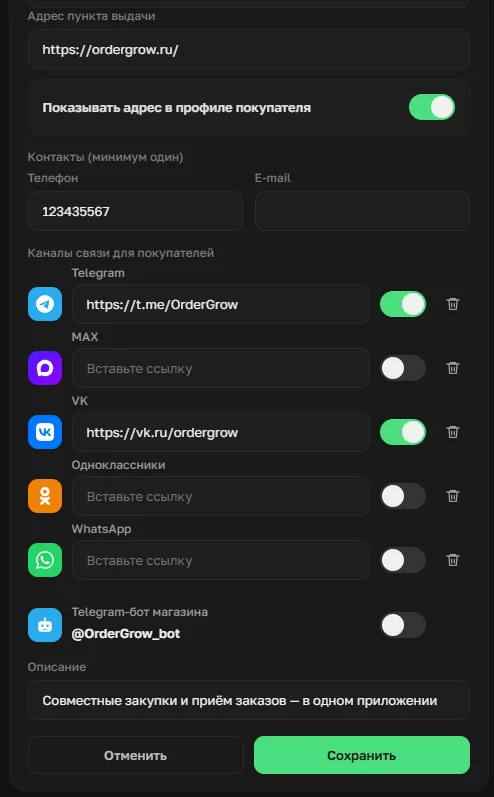
Each channel has its own link field and a separate visibility toggle. You can fill in every channel you actually use, then show buyers only a selection — turning the toggle on just for the ones relevant to them.
The pickup address
The pickup address or store location works the same way — a field for a link or an address, and a separate "Show address in buyer's profile" toggle that's controlled independently of the contact channels.
What the buyer sees in their profile
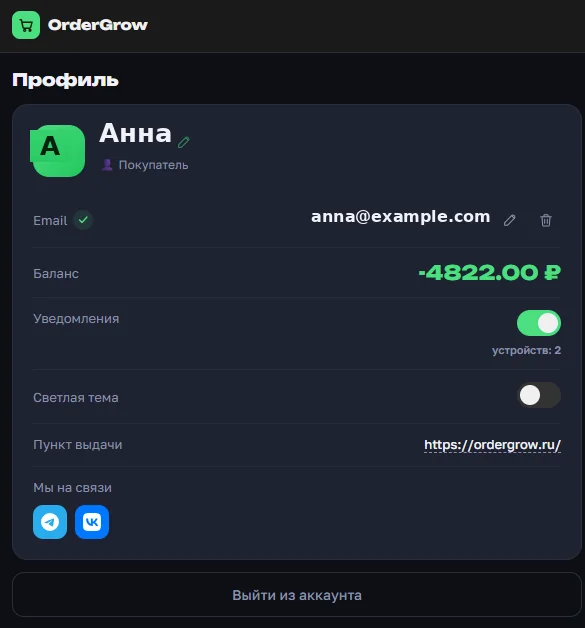
In their own profile, a buyer sees only what the admin has chosen to share: the pickup address, if it's turned on, and icons only for the contact channels with their toggle enabled — nothing extra, and nothing the admin decided to keep for themselves.
What's next
This setting is already available in the admin section, with nothing extra to turn on. For what else a buyer sees without logging in, see "OrderGrow's Public Storefront". You can try the full group-buying app in OrderGrow Lab — seven days free.