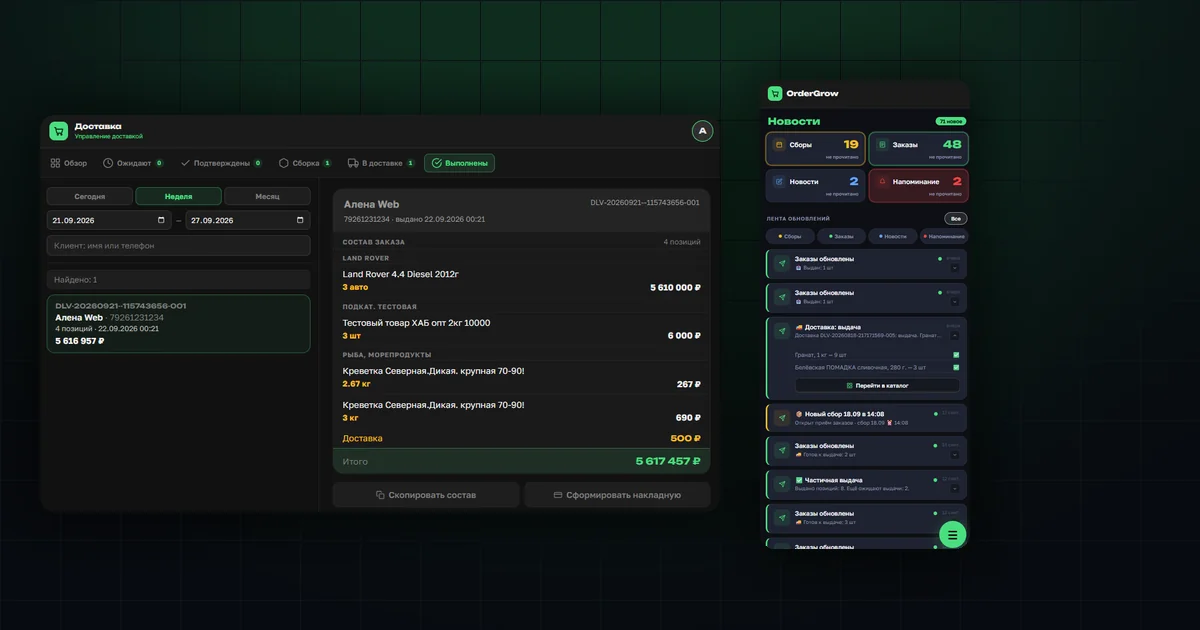
How delivery itself works — how the organizer assembles an order and how the courier hands it out — is covered in "Managing Deliveries". This article covers what was added afterwards: a history tab for the organizer and a handout notification for the buyer.
What's new in the Delivery section
Alongside the existing statuses — Pending, Confirmed, Assembly, Out for delivery — a "Completed" tab was added. Before it, a finished delivery simply disappeared from the working list: there was no way to go back and see exactly what had been handed out.
The "Completed" tab: history with filters
The list can be filtered by period — Today, Week, Month — or a custom date range, and by client name or phone number. Each row is one completed delivery with its handout date, time, and total amount.
The detail card, copying the contents, and a retroactive waybill
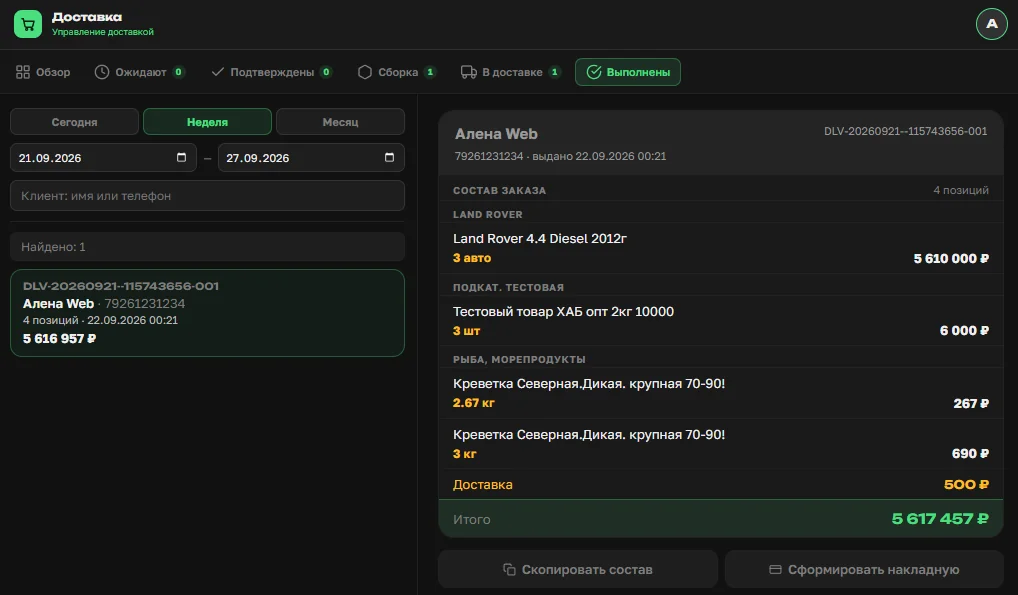
The delivery card is view-only — nothing can be changed after the fact, only reviewed. The contents are grouped by subcategory, with quantity and price for each item, plus a total that includes the delivery fee.
Two buttons below the contents cover both common needs: "Copy contents" — for quickly sending the list to a client as text, and "Generate waybill" — for a printable document. Previously the waybill had to be saved at the moment of handout; now it can be generated at any later point if the original was lost or wasn't needed at the time.
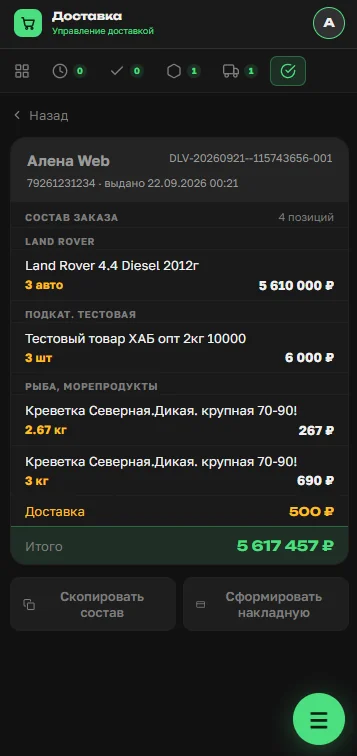
On desktop, the list and the card are shown side by side. On a phone, where there isn't enough width for both, opening a card replaces the list entirely — with the same copy and waybill buttons at the bottom, and a back button at the top to return to the list.
The buyer notification — full handout contents in "News"
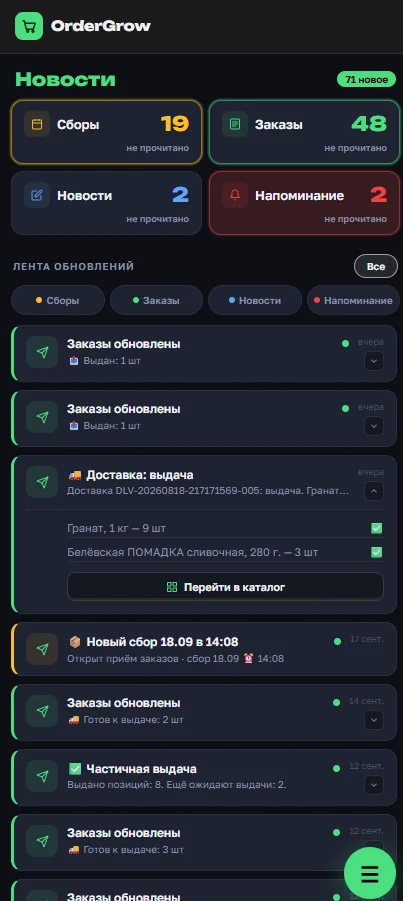
The buyer's News section in OrderGrow, an e-commerce and group-buying app, is organized by topic — Collections, Orders, News, Reminders — each with its own unread count, so a buyer can scan just the category they need.
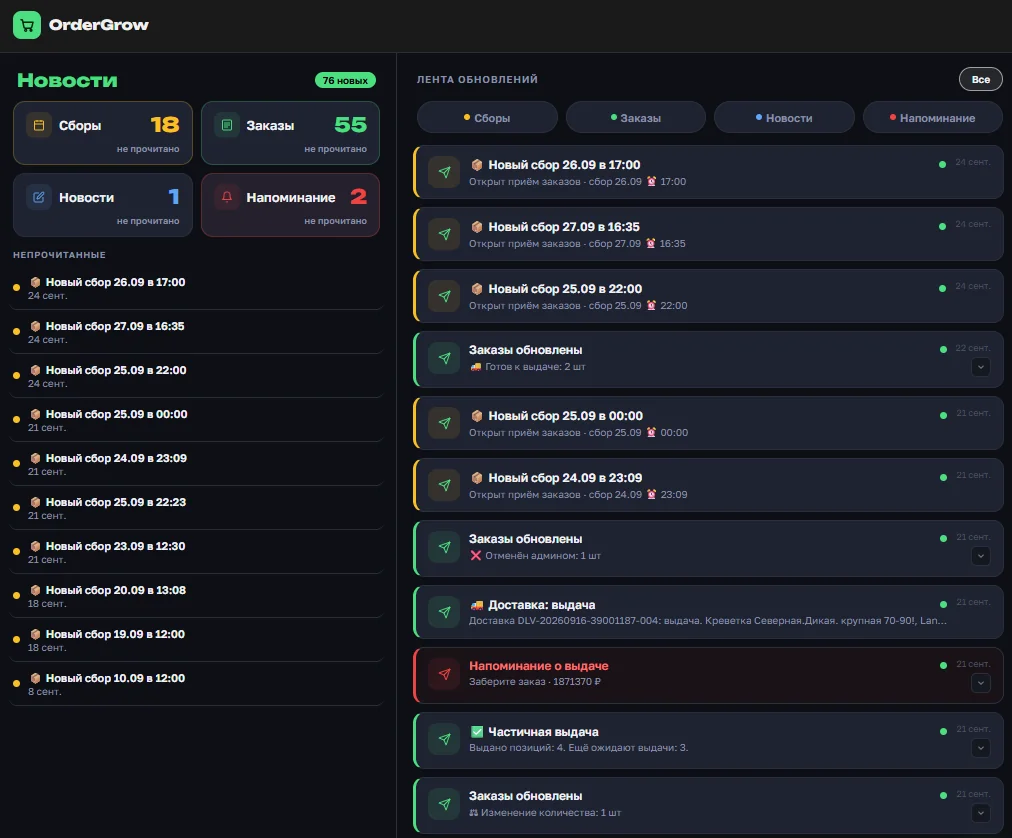
At buyers' own request, a dedicated "Delivery: handout" notification was added to this feed. Tapping it expands right inside the feed — the same way on desktop and on a phone — and shows the full list of what was handed out, with quantities for each item. Previously there were no handout details in the app at all: buyers had to recall the contents from memory or ask the organizer.
What's next
Both additions are already available with no extra setup — organizers don't need to turn anything on. For how delivery works end to end, from the client's request to the courier's handout, see "Managing Deliveries". You can try the full group-buying app in OrderGrow Lab — seven days free.