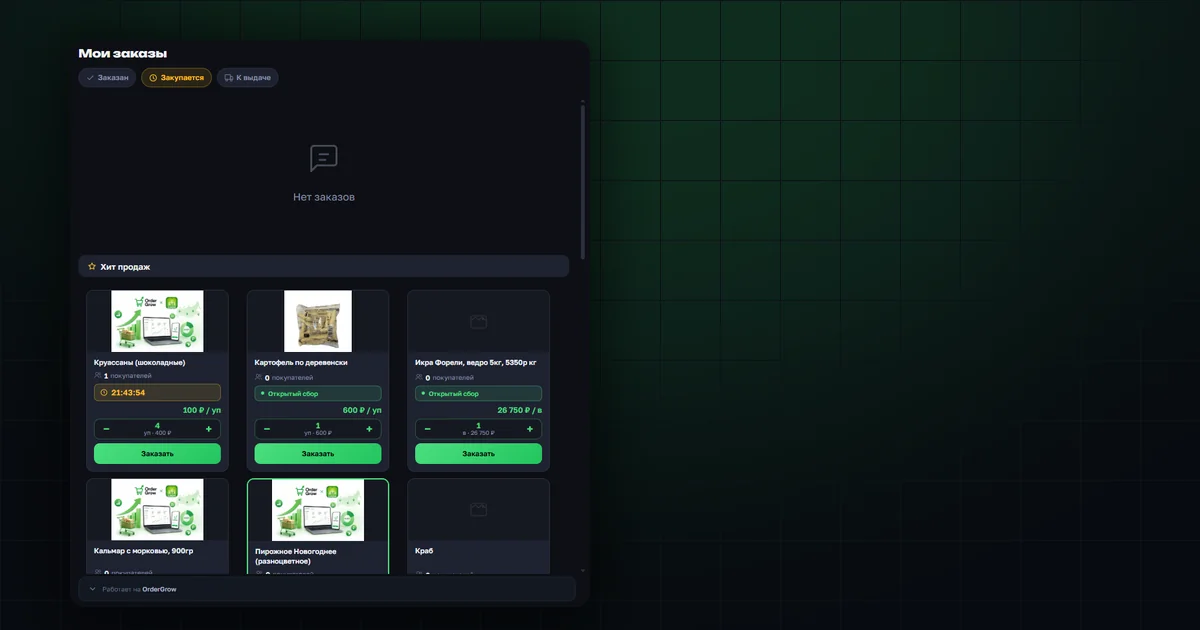
What was added to "My Orders"
Under the order list, in the "Ordered" and "Being purchased" statuses, a "Hits" block now appears — the same products as in the catalog, with the option to order right there. There's no block in the "Ready for pickup" status — that space is taken by the financial summary.
Works the same way on mobile and on desktop.
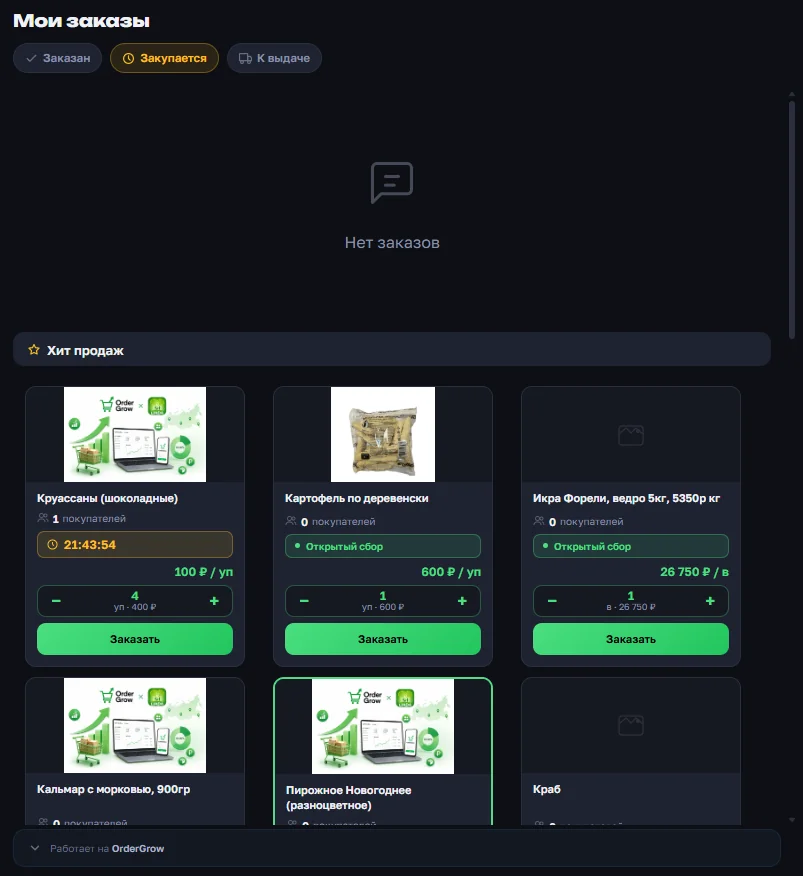
How to order from here
Every product in "Hits" has a counter and an "Order" button — you can place an order without reopening the catalog. After ordering, the product doesn't disappear from the list right away — that's expected.
The information at the bottom is now always visible
Under the order list, notes are now always shown: that the price of items sold by weight is approximate, what to do if you've been notified of a weight change, and that the order total doesn't include any advance payments. This used to be visible only in one status — now it's shown in all three, including an empty list.
On mobile, this block can be collapsed by tapping the "Powered by OrderGrow" row — only that row stays visible. The collapsed state is remembered when switching between statuses and the next time you open the section.
Where to read more
How ordering now works right from the catalog and the Hits section is covered in "Order in one click from the catalog". How push notifications about order status work is covered in "Favorites notification". And what the delivery note the customer gets at pickup looks like is covered in "Delivery notes at pickup".