Why multiple pickup points were needed
Settings used to have a single pickup address — one text field with a visibility toggle (we covered this in "Contact Channels and Pickup Address in OrderGrow"). That worked fine with one location. If a store operates across several cities or districts, a single address isn't enough — so we built a dedicated "Pickup Points" section where you can set up as many locations as you need, each with its own settings.
Adding and setting up a pickup point
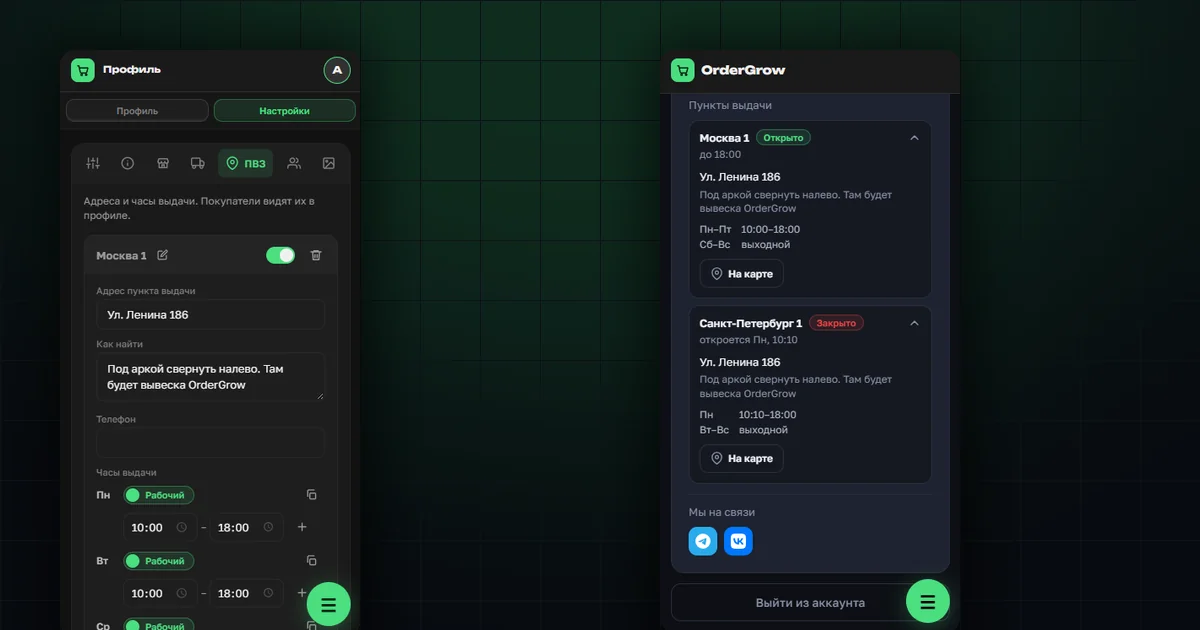
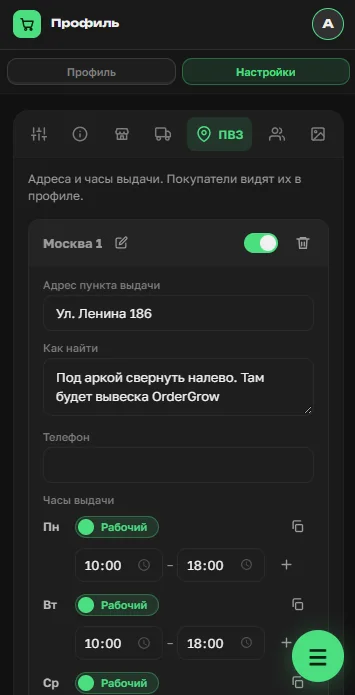
In the "Pickup Points" section, each location has its own name with a pencil icon to edit it, a visibility toggle for buyers, and a delete option. Creating one means filling in the pickup address, a "How to find it" note (a landmark in the courtyard, for example), an optional phone number, and pickup hours set separately for each day of the week.
Multiple pickup points — each with its own settings
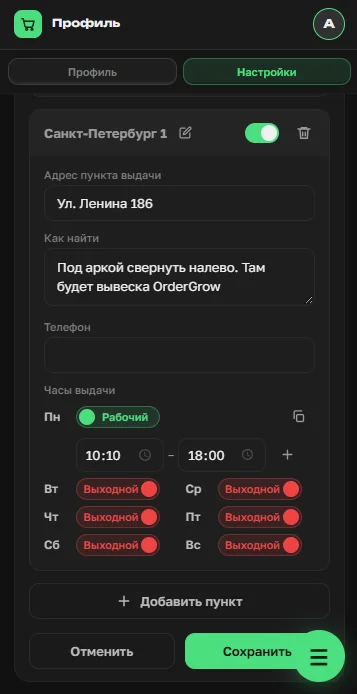
You can add as many pickup points as you need with the "Add location" button, and each one has an independent schedule. In the example below, "St. Petersburg 1" is only open on Mondays — other locations can run on an entirely different schedule, since one pickup point's settings don't affect another's.
What the buyer sees
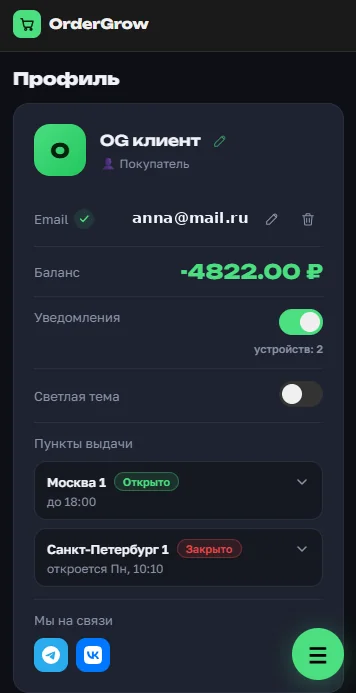
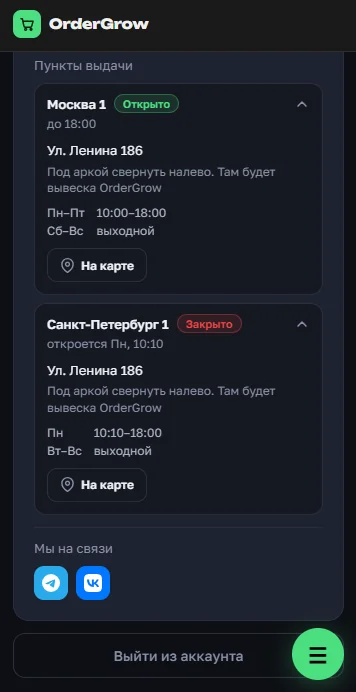
The buyer's profile now has a "Pickup points" block listing every location with visibility turned on. Each one shows its status right away — Open or Closed — along with the time until it closes or opens.
The detailed pickup-point card
Tapping a pickup point expands it: the full address, the "How to find it" note, hours by day of the week, and a "View on map" button that opens a map at that address right away — no need to copy the address and search for it manually.
What's next
The "Pickup Points" section is part of the broader admin profile and settings update — covered in full in "Profile and Settings in OrderGrow". You can try the full group-buying app in OrderGrow Lab — seven days free.