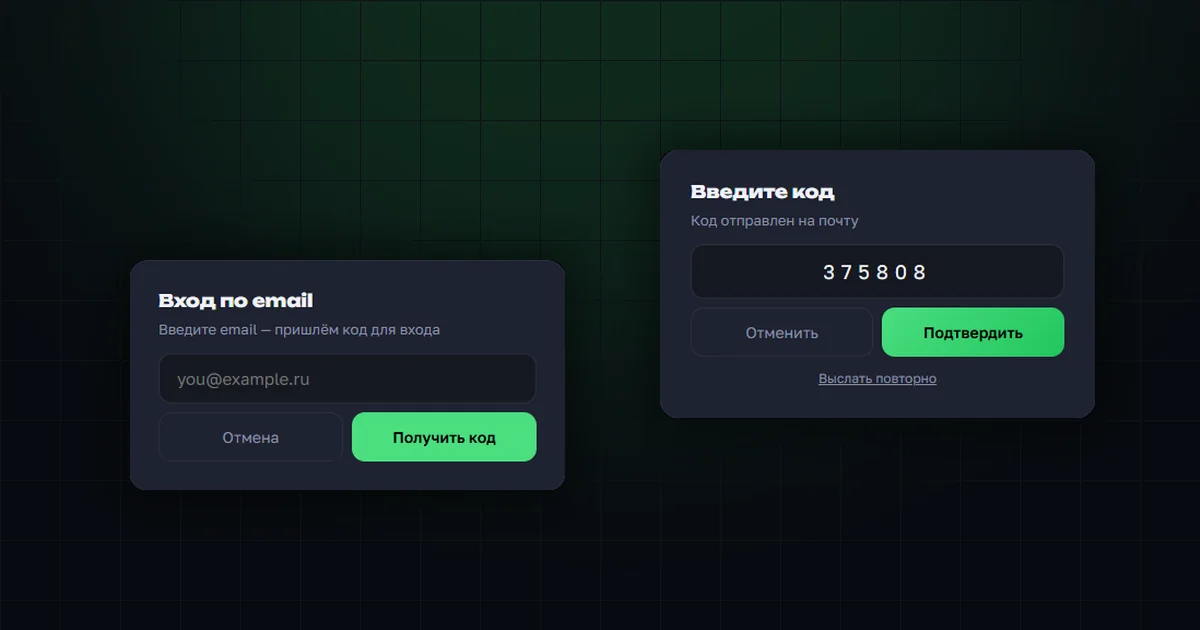
Until now there were three ways into the OrderGrow app: through Telegram, with a PIN code from the organizer, and by phone call. Each covered its own situation, but all three shared a limitation — they needed either a messenger, or the organizer's involvement, or a phone at hand.
Email sign-in is the fourth way. The customer enters an email address, receives a one-time code and signs in. No password, no asking the organizer, no Telegram installed.
Connecting your mailbox
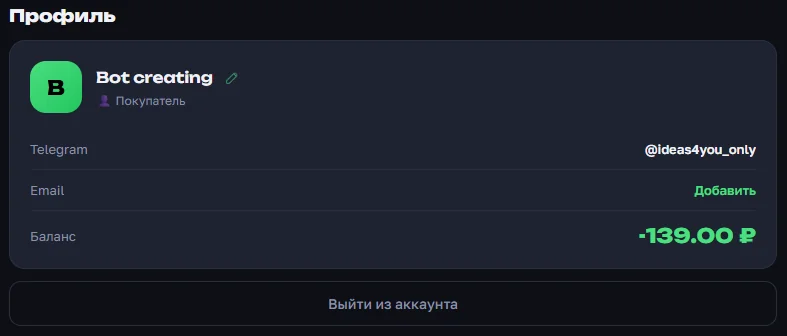
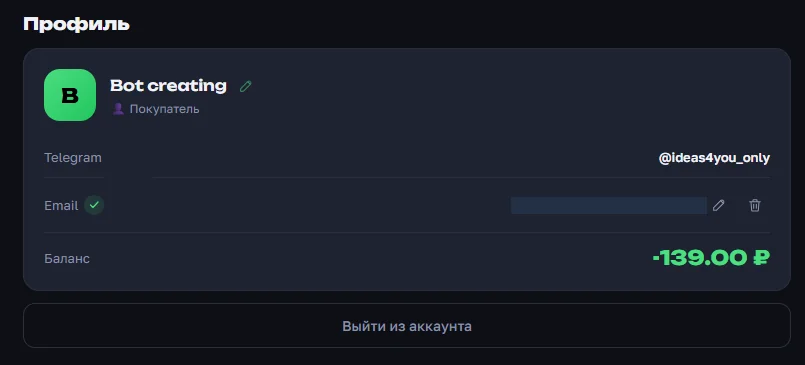
The option is available to registered users. In the "Profile" section, an "Add" button has appeared next to the Email row — before you connect it, the field is empty.
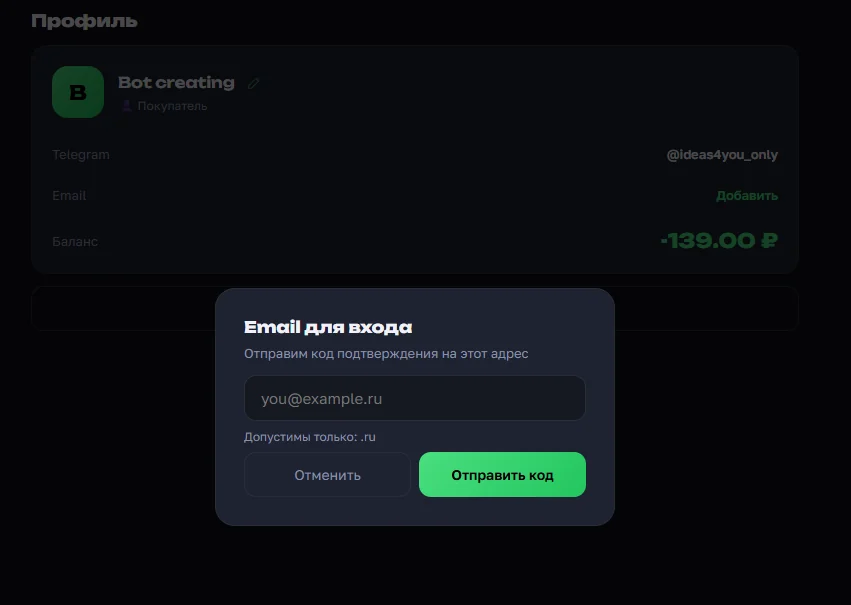
Tapping it opens the address entry window. A one-time confirmation code is sent to the address you enter — the same mechanism as sign-in, but here it confirms the address really belongs to you.
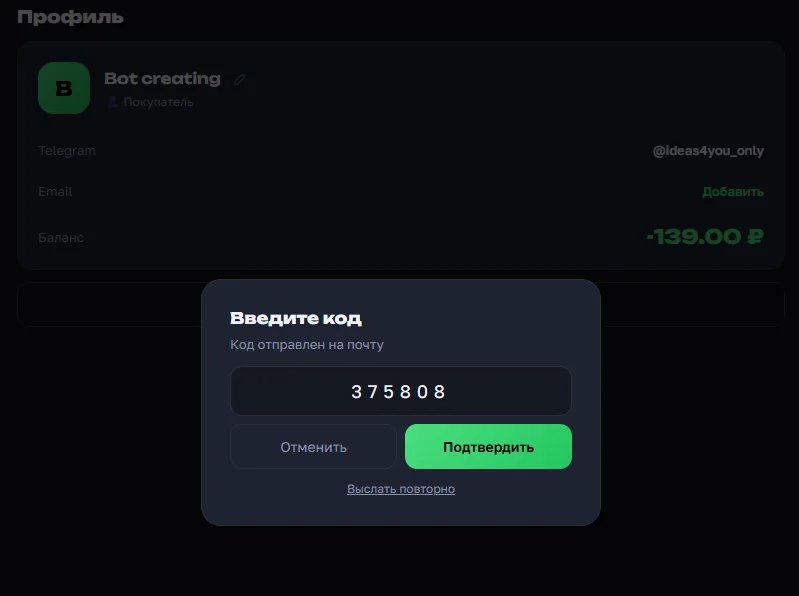
All that's left is to enter the six-digit code from the email. If the message doesn't arrive, there's a "Resend" link.
Once confirmed, a green check mark appears next to the Email row — the address is verified and ready for sign-in. The edit and delete buttons sit right there: you can change the mailbox at any time, and a new address goes through the same confirmation.
Domain zone restrictions
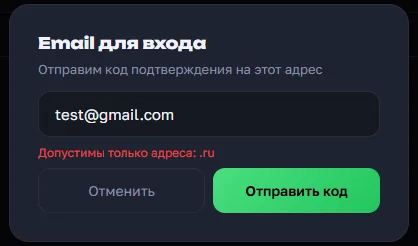
On request, a shop can limit which domain zones are accepted — for example, allowing only .ru, or only .ru and .com. That's useful when an organizer works with a specific region and doesn't want addresses on foreign services.
If the restriction is on and a customer enters an address from another zone, the form says exactly what's wrong right away — and no code is sent.
A separate case is when the message couldn't be delivered: the address looks valid, but the mail server didn't accept it. The form states this plainly and suggests trying again later.
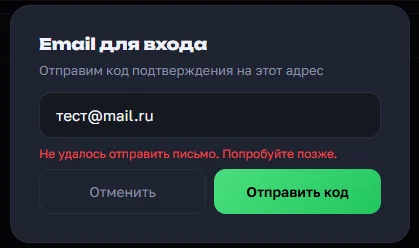
This may look like it contradicts the silent behavior described in the next section, but the difference matters. Hints belong in the profile: the user is already signed in and configuring their own address, so there's no reason to hide why something failed. The silence applies only on the sign-in screen, where the answer would go to someone unknown.
Signing in with your mailbox
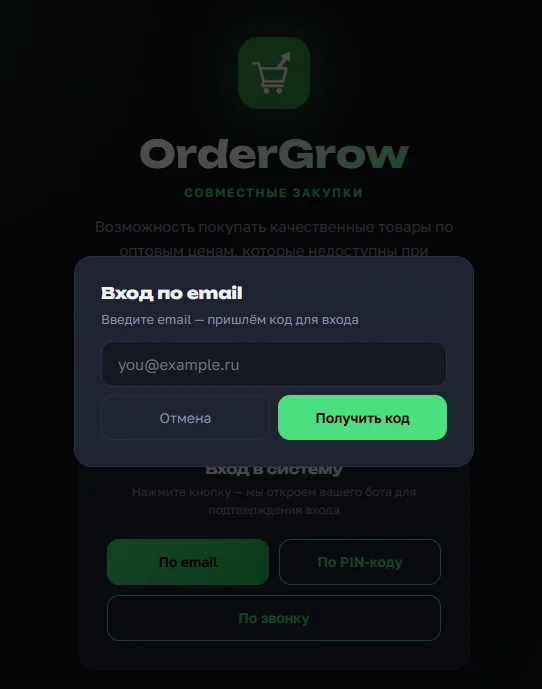
On the sign-in screen "By email" comes first — for people working from a computer or not using Telegram. The set of buttons is configurable: the shop decides which methods to show its customers, which is why the screenshot has three — Telegram sign-in is hidden here.
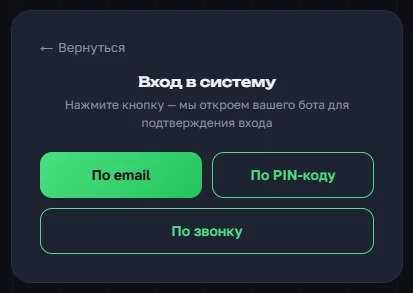
Telegram sign-in works differently — it starts in the bot itself rather than on this page, and it doesn't have to appear in the list. That way an organizer keeps only the channels they actually use.
The rest takes a few seconds: enter the address, get the code by email, enter the code — and you're in the app. There's no password to invent or remember, and every code works once.
Why the form stays silent on a wrong address
There's a detail here that looks like an oversight at first glance but is deliberate. If you enter an address that isn't in the database, the system doesn't report an error. No "user not found", no "invalid email" — the screen behaves exactly as it does for a valid address.
The reason is that an error message answers the question "is this person in the app". By feeding in addresses from a list and watching how the form reacts, someone could assemble a roster of a particular shop's customers: who takes part in the buying rounds and what they purchase. For closed groups that's sensitive information.
The second line of defense is a limit on attempts. Frequent code requests and value guessing are blocked, so a six-digit combination can't be found by plain brute force. The code itself is single-use: after a successful sign-in it stops working.
The contact base stays with the organizer
There's another reason to collect customer emails, and it's about business rather than sign-in convenience. On a marketplace the customer belongs to the platform: the seller sees the order but not the person — no phone, no email, no way to reach out directly. If the seller leaves the platform, the customers stay behind.
OrderGrow works the other way round: customer contacts — Telegram, phone, and now email — are the shop's own base, not OrderGrow's. The organizer sees their customers, writes to them directly and doesn't depend on someone else's recommendation feed. Every address added is one more channel that stays with them.
Why four sign-in methods
Each method solves its own problem. Telegram is the fastest for people who already live in the messenger. A PIN code is issued by the organizer in person when the customer has neither Telegram nor email. A phone call works when only a phone is at hand. Email covers working from a computer and doesn't depend on a messenger at all.
That redundancy is insurance. If one channel becomes unavailable, customers and organizers keep working through the others, and the shop doesn't have to collect contacts all over again. Showing all four isn't required, though: the set of methods on the sign-in screen is configured per shop.