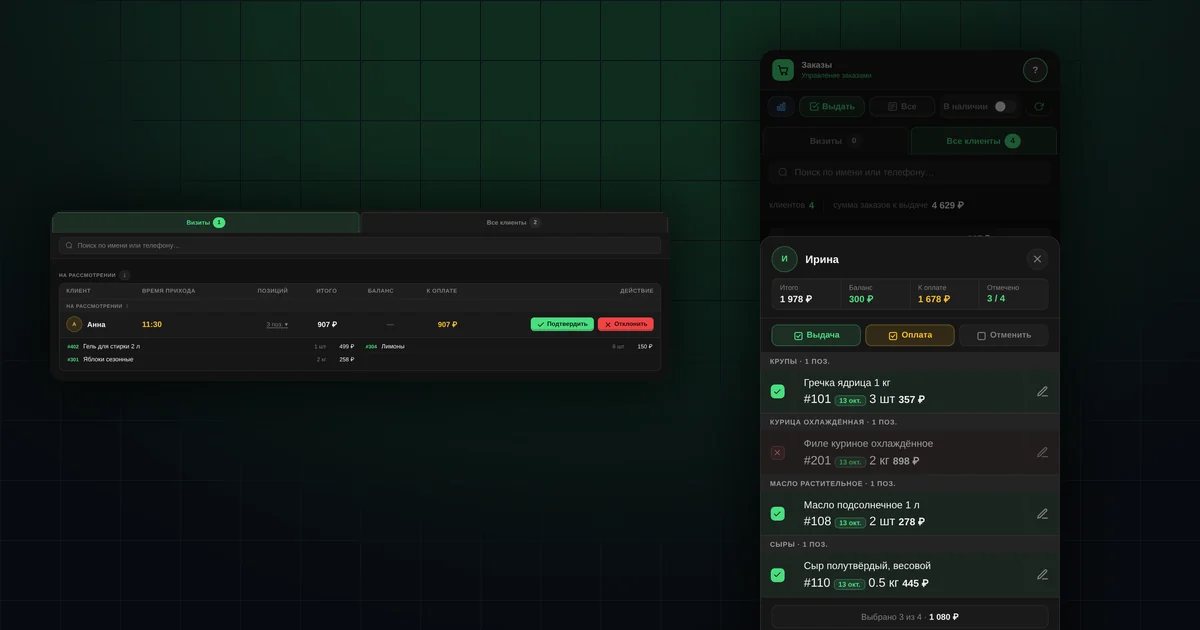
In short
- A buyer can let you know they are coming with the "Pick up order" button.
- You can hand out part of an order: the rest stays "Ready for pickup".
- The weight is adjusted right at pickup, and the total is recalculated at the price in the order.
- Payment can be deducted from the buyer's balance in three ways.
- The waybill is generated for the selected items.
How does a buyer let you know they are coming?
In the app, the buyer taps "Pick up order" and chooses when they will arrive: "On my way", in 15, 30 or 45 minutes, or in an hour. What the buyer sees is described in the guide "My orders and pickup".
On your side, the visit appears in "Issue" → the "Pending" block:
- the arrival time, colour-coded so you can see whether the buyer is already there or will come later;
- how many items are waiting for them;
- "Total", "Balance", "To pay".
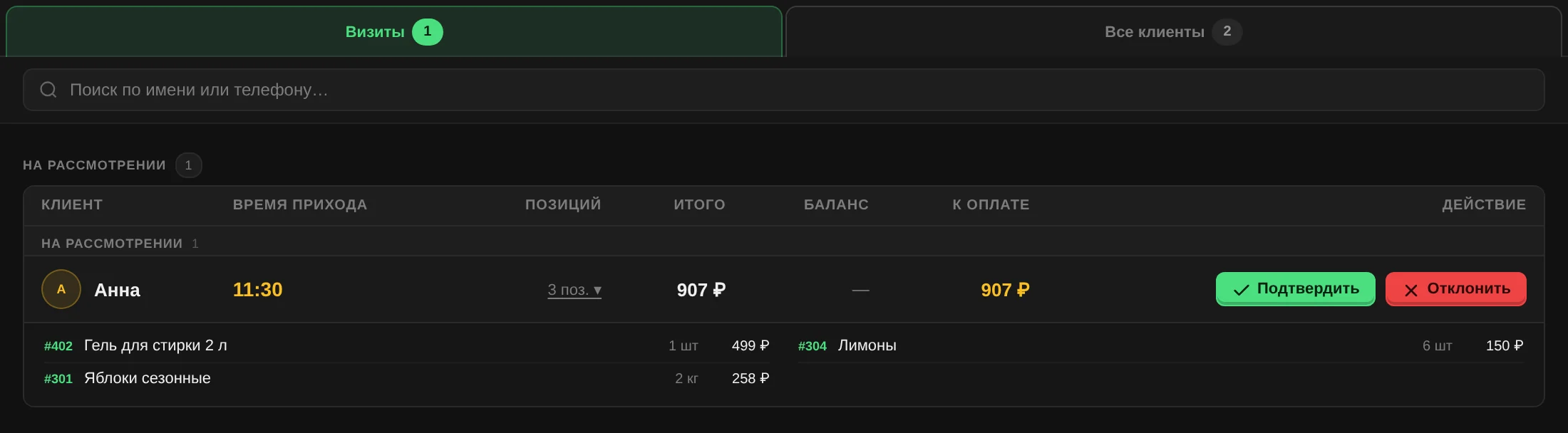
Tap "Confirm" and the buyer sees what time you expect them. If you can't receive them now, tap "Decline", and the buyer sees that the visit has not been confirmed. Confirmed visits stay on the list for four hours.
How do you find a buyer who came without warning?
The "All clients" tab lists every buyer with orders ready for pickup, with search by name or phone. At the bottom you see the total number of buyers and the total of orders ready for pickup.
If new orders become ready while you are working, or a colleague has already handed someone their order, the tab shows the hint "New orders ready to issue — click Refresh". The list doesn't redraw itself, so it won't throw you off in the middle of a pickup.
How do you hand out part of an order?
- Open the buyer. Items are grouped by subcategory; the ready date turns red if an item has been waiting more than two days.
- Untick what you are not handing out now. At the top you see "Selected N of M".
- Tick "Issue" and, if the buyer is paying now, "Pay".
- The "Review and confirm" screen shows two lists: "Issuing" and "Not issuing". Tap "Apply".
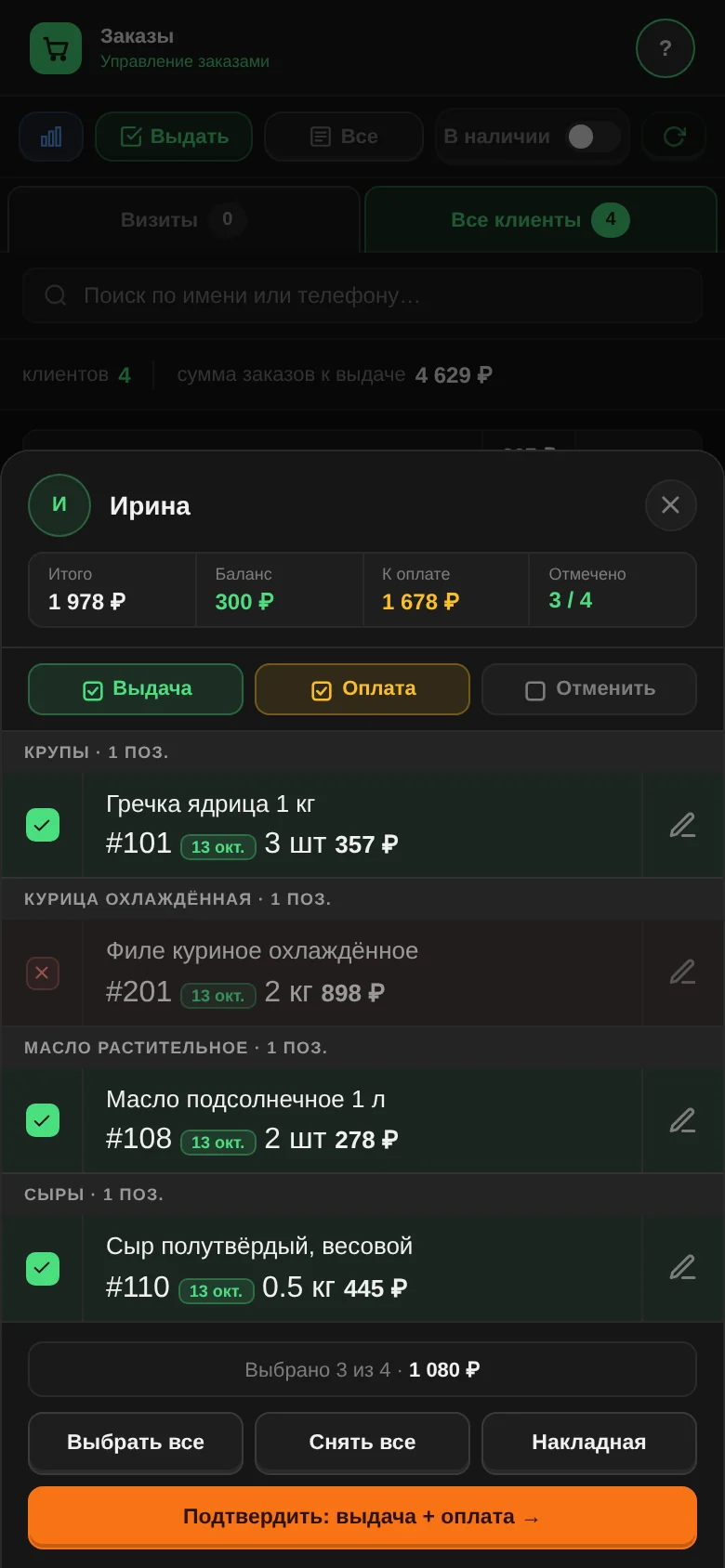
Unselected items stay "Ready for pickup" and wait for the next visit. The buyer gets a notification listing what was handed out and what is still waiting.
How do you enter the actual weight at pickup?
Tap the item's quantity to open the "Edit quantity" window. Enter the actual weight: the new total is calculated at the price fixed in the order, not at the product's current price. The buyer gets a notification about the change.
How do you deduct payment from the buyer's balance?
If the buyer has a balance in your shop, then when you tick "Pay" the software asks what to do with the wallet:
- "Deduct available balance": deduct as much as there is, without going below zero;
- "Deduct the full amount": deduct everything, even if the balance becomes negative;
- "Don't deduct": leave the wallet unchanged.
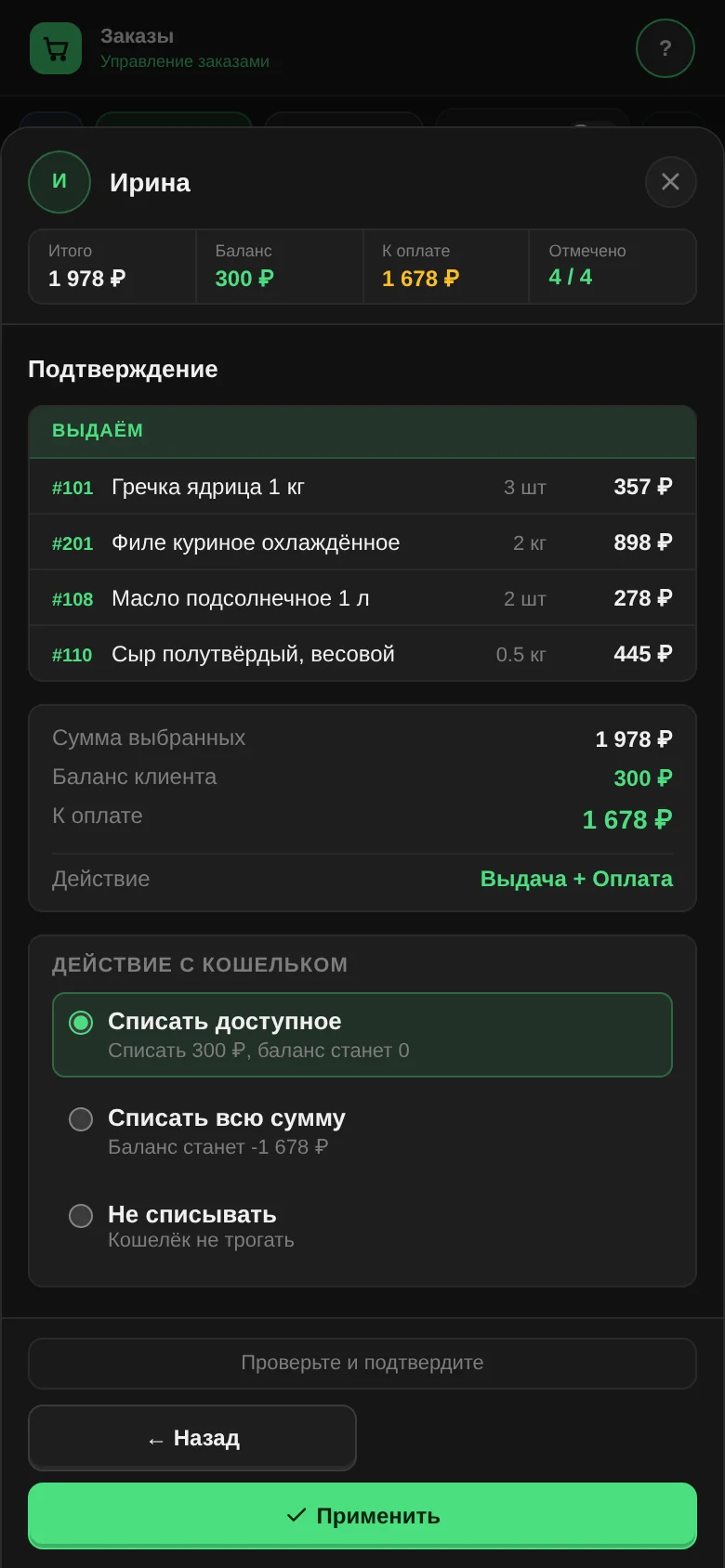
Under each option you see what the balance will become. More about the balance: "Buyer wallet".
How do you print a pickup document?
From the pickup window, you get a waybill for the selected items of one buyer. From "All clients", you get a batch for several buyers, each on a separate page. More: "Waybills".
How can you help a buyer while they are there?
A pickup visit is the best moment to add the app to the buyer's home screen together, turn on notifications and add an email. A one-minute checklist.
What pickup doesn't do
- It doesn't take money: "Pay" is a mark and, if you choose, a deduction from the balance.
- It doesn't hand out items requested for delivery: those go through the "Delivery" section.
Questions and answers
Can you cancel an item right at pickup?
Yes, by ticking "Cancel". The item moves to "Cancelled by admin" and the buyer gets a notification. You can't issue and cancel the same item at the same time.
What if two staff members hand out orders to the same buyer at the same time?
The software won't let the pickup go through twice: while one staff member is handing out, the other waits until they finish.
The buyer didn't tap "Pick up order". Can you still hand out the order?
Yes, through "All clients".