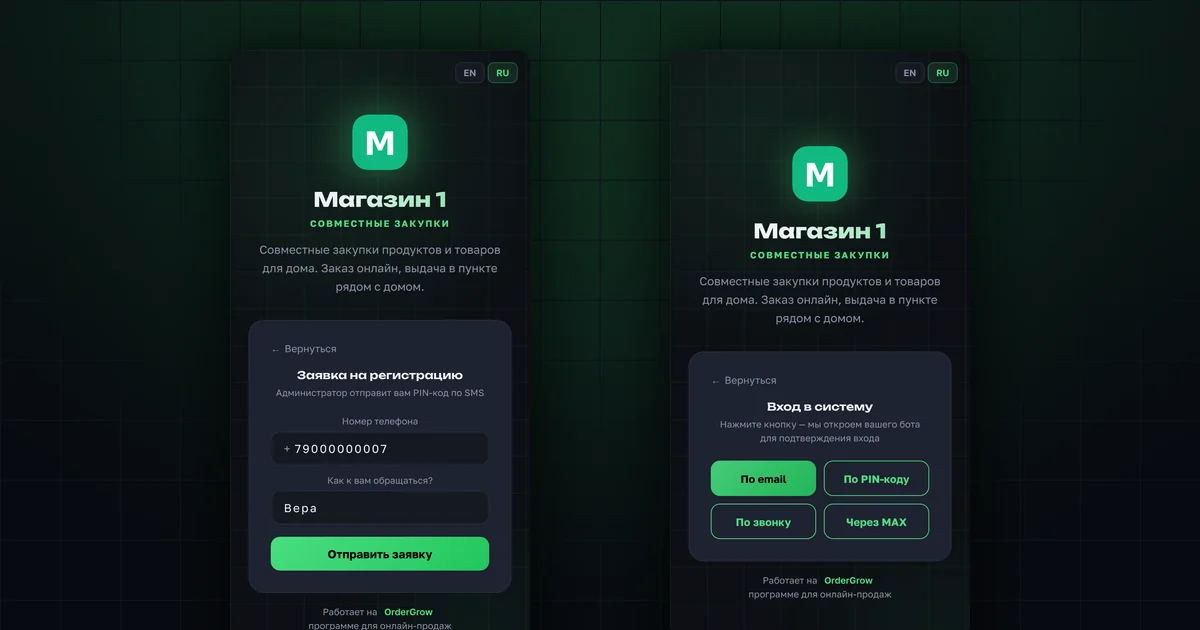
In short
- Sign-up uses your phone number.
- The PIN code is one-time; your organizer issues it.
- You stay signed in for 30 days, renewed automatically if you open the app at least once every two weeks.
- After your first sign-in, add an email as a backup way to sign in.
- Available methods depend on your shop's settings.
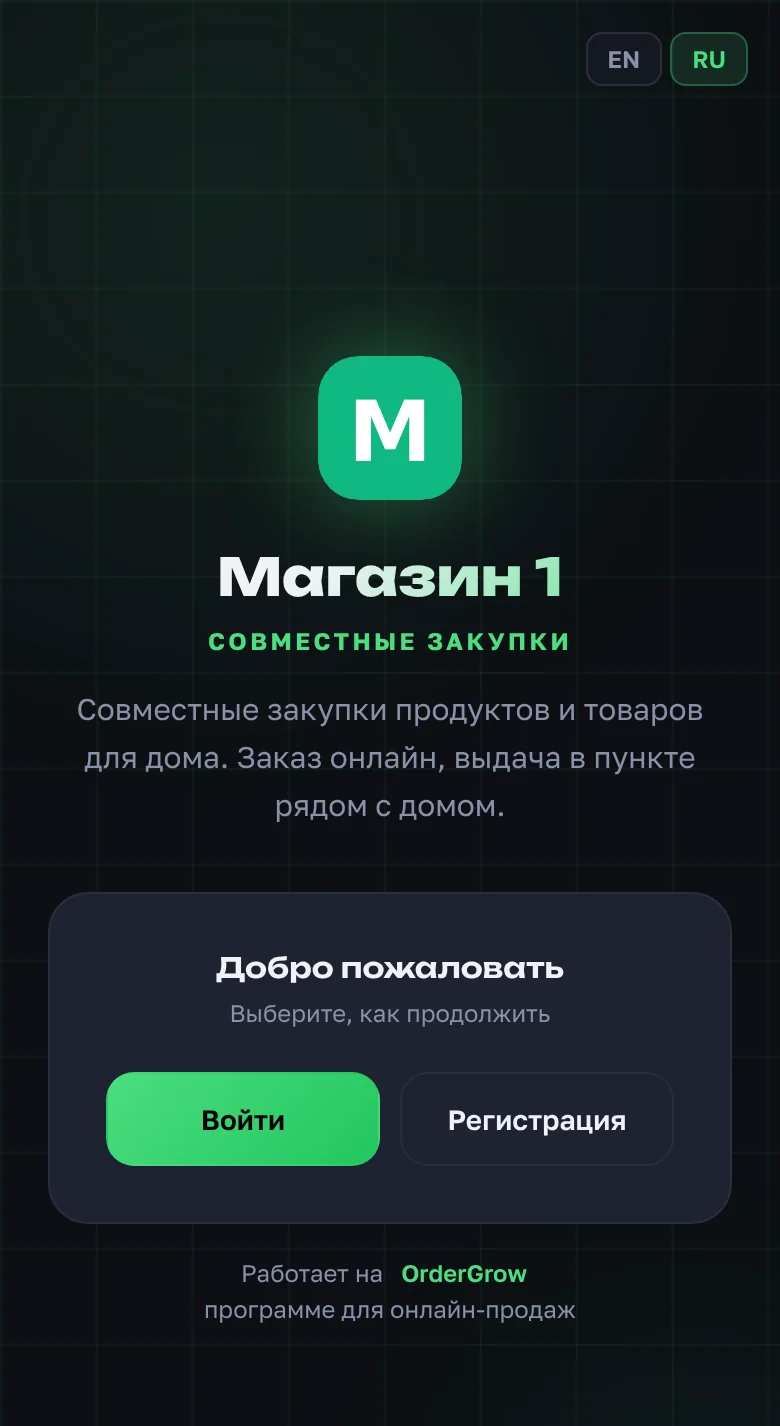
How do you sign up with a request?
- Open the shop's app link and tap "Sign up" → "Submit request".
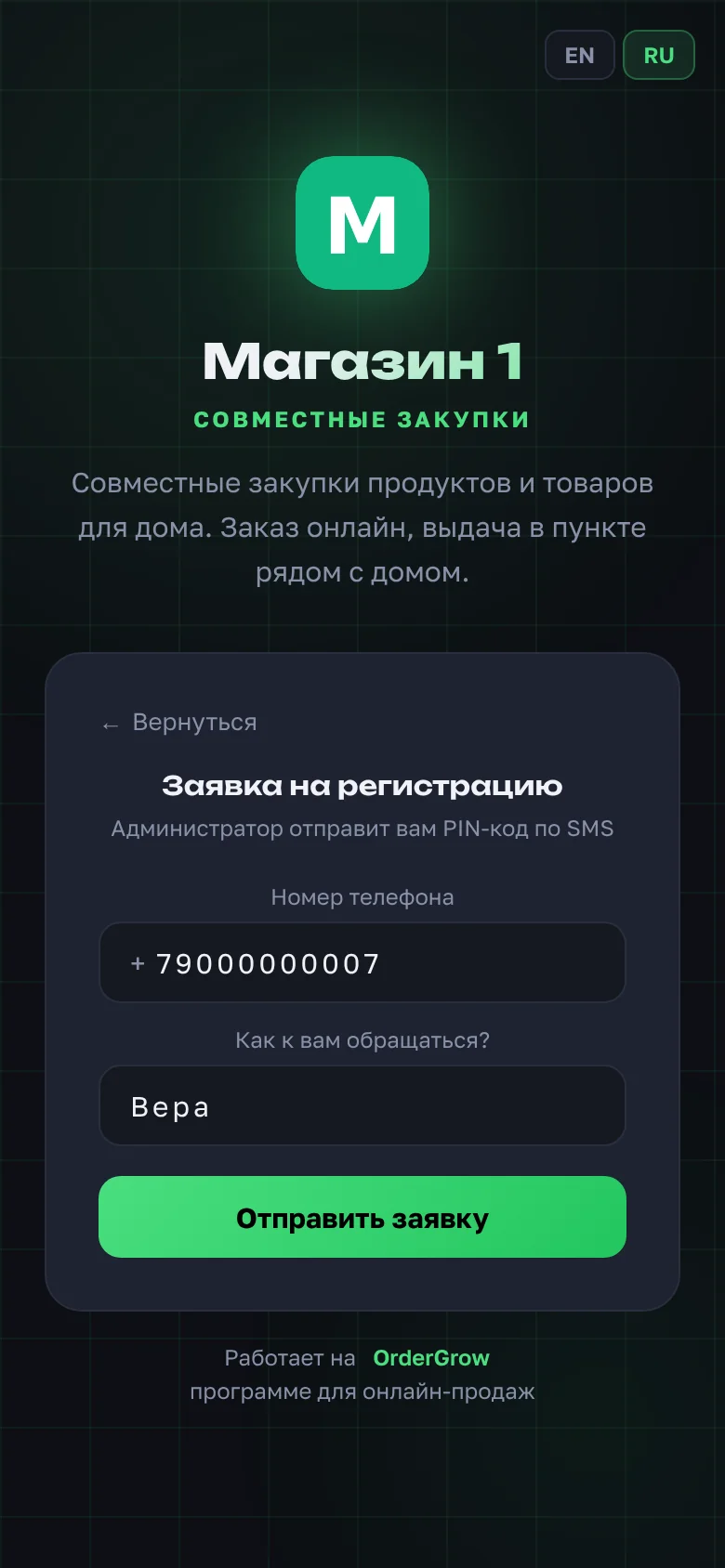
- Enter your phone number and how we should address you, then tap "Submit request".
- Wait for the PIN code from your organizer.
- Enter the PIN right on the "Request sent" screen and tap "Sign in".
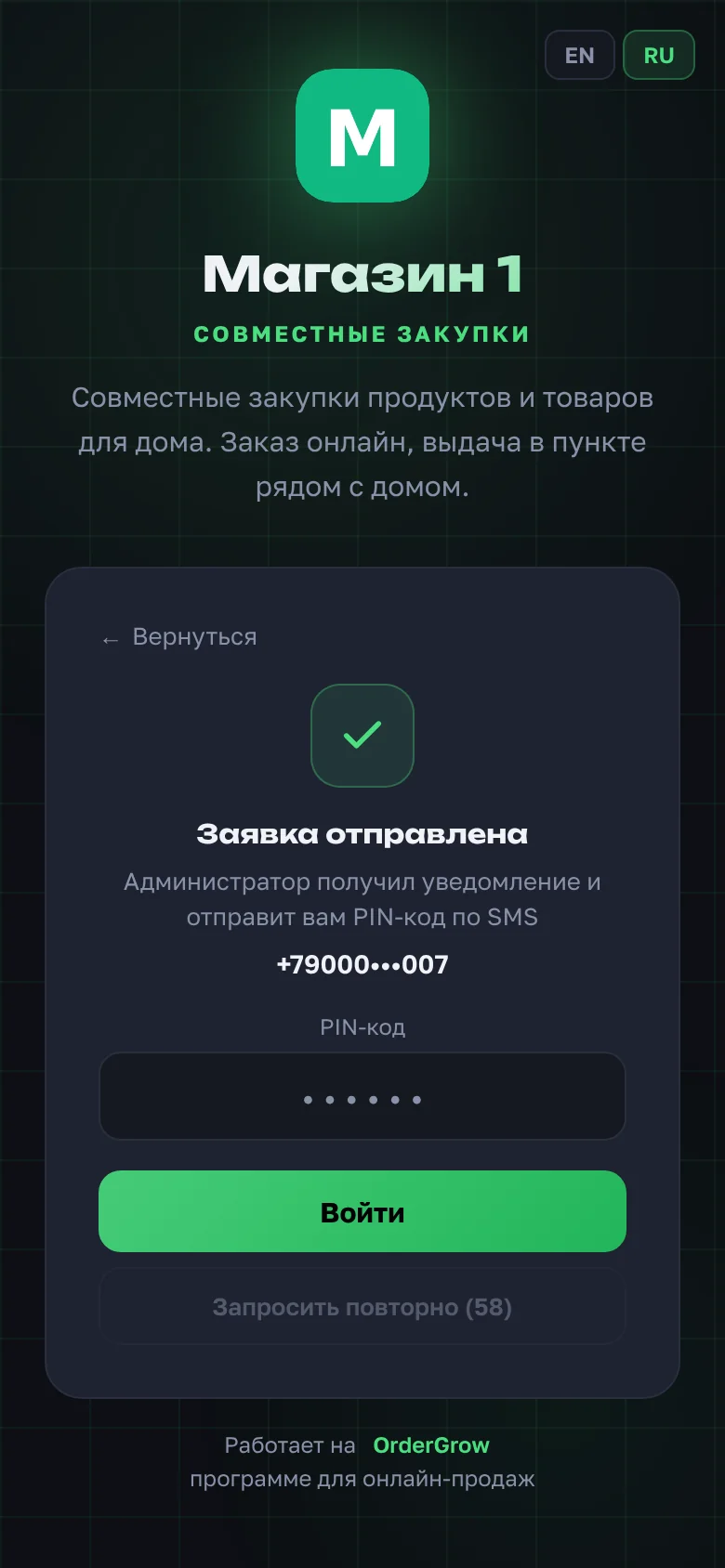
If the PIN takes a long time, tap "Request again" and the organizer gets a reminder.
What is a PIN code and why is it one-time?
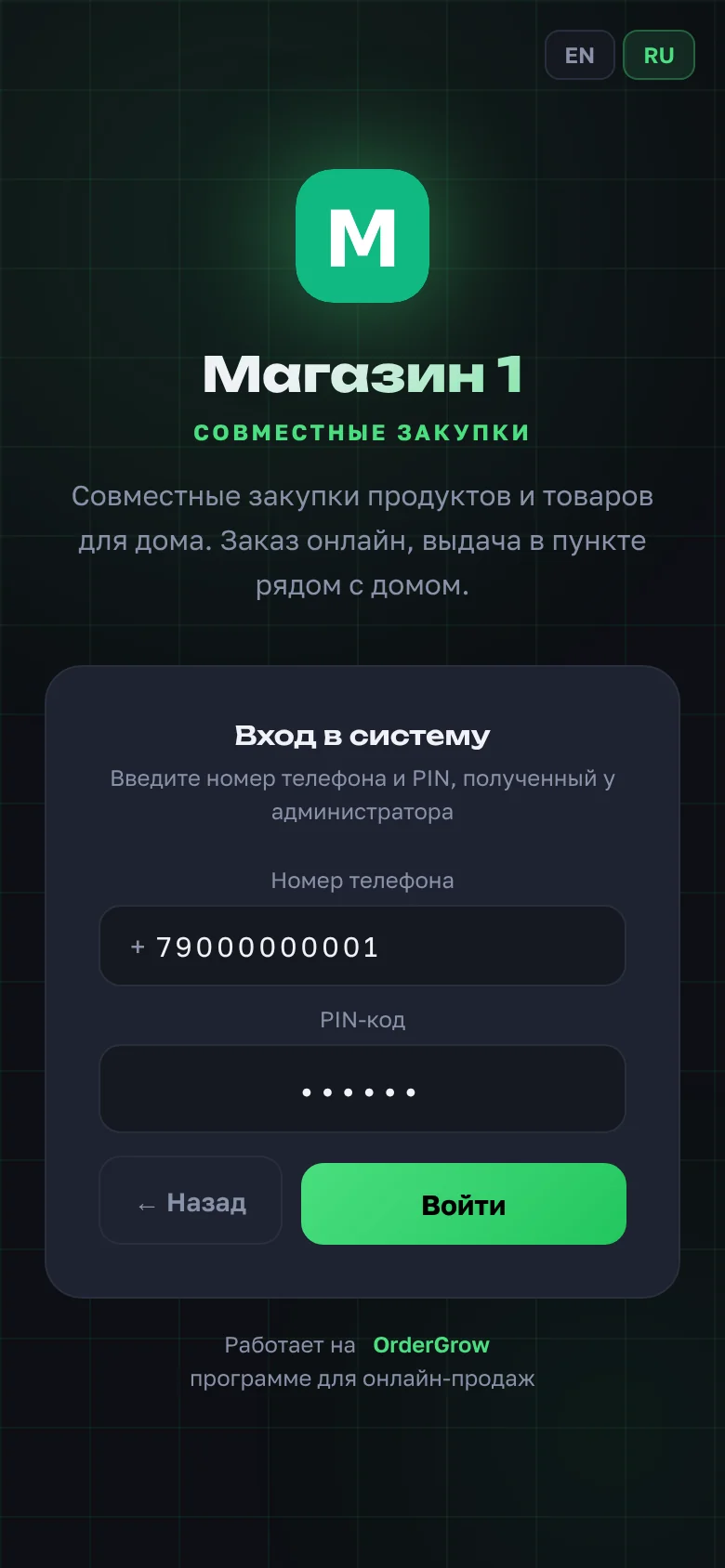
A PIN is six digits for signing in to your shop's app. Each PIN works once. After you sign in, it stops working, and you stay signed in. If you need to sign in again, for example on a new phone, use another method or ask for a new PIN.
- The PIN has nothing to do with bank codes or SMS confirmations from other services.
- Don't forward it to anyone.
- If the PIN is lost or doesn't work, ask your organizer for a new one.
Can you sign up by phone call or via MAX?
Yes, if your shop has these methods turned on. Which buttons appear on the "Registration" screen depends on the shop's settings.
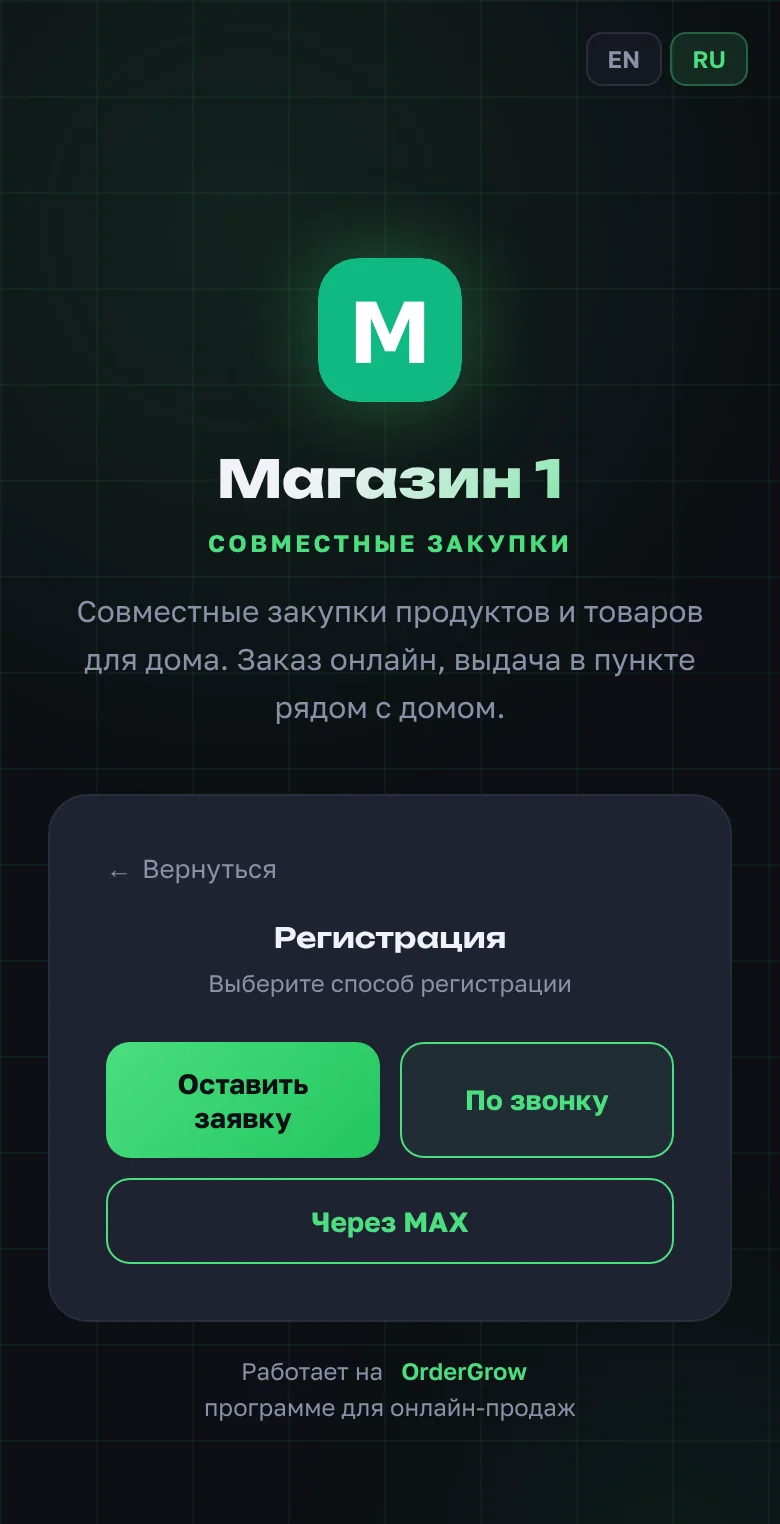
- By call. Enter your number and tap "Get number to call". Call the number shown from your phone; the call is free. Your number is verified automatically.
- Via MAX. Tap "Via MAX" and send the code shown to the bot. Your name is taken from MAX. More: "Sign in with MAX".
If the shop accepts new buyers only with the organizer's approval, these buttons won't work for sign-up. Submit a request instead.
How do you sign in if you already have an account?
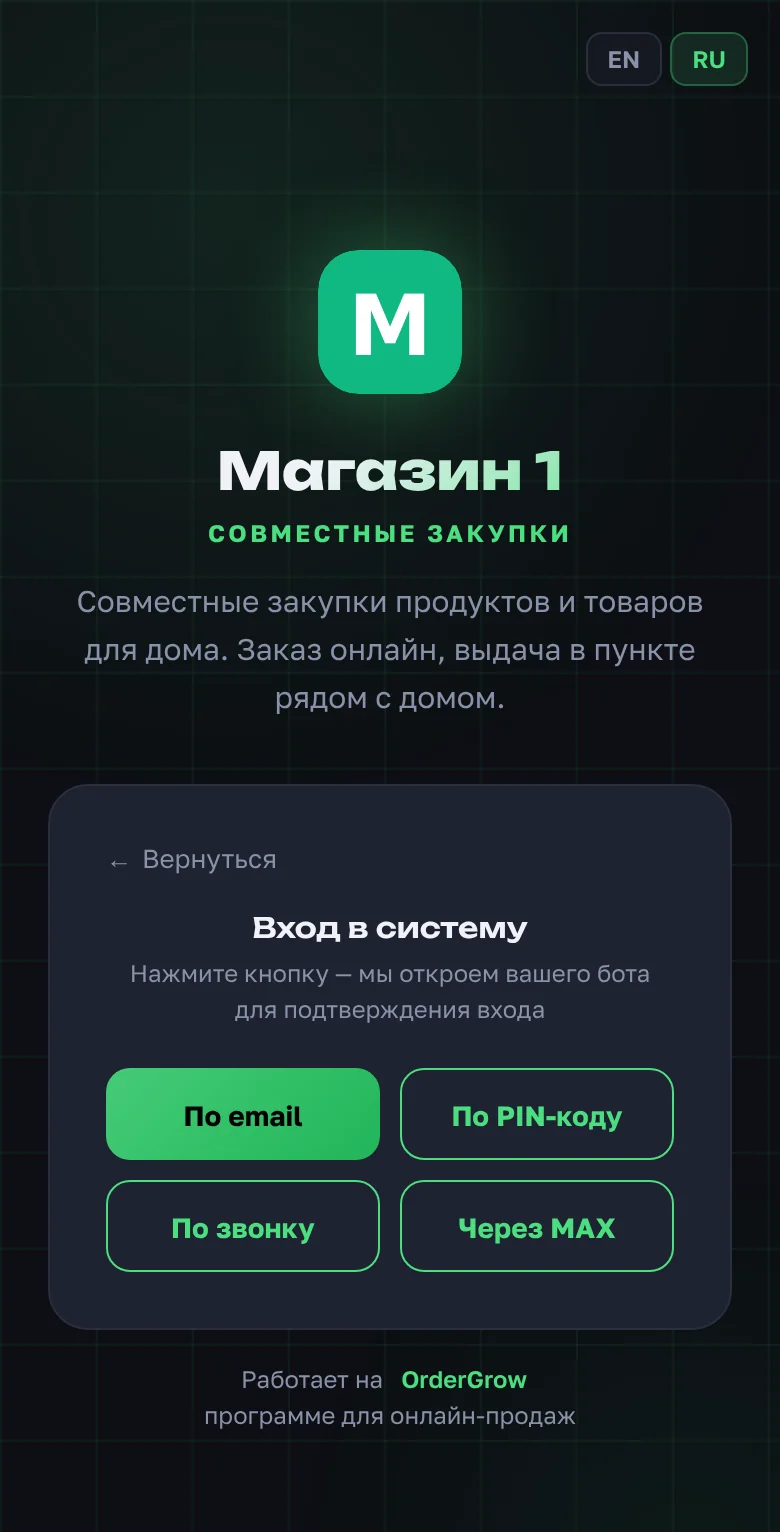
On the first screen, tap "Sign in" and choose a method:
- "By PIN code": phone number and a PIN from your organizer;
- "By call": call the number shown from your phone;
- "Via MAX": send the code to the bot in MAX;
- "Via email": a code is sent to your email. Works only if you have added your email in the profile beforehand.
If the shop has a Telegram bot, you can sign in through it as well, but you don't have to.
Why is your phone number needed?
Your phone number is how the shop recognises you, whichever way you sign in. Your orders are linked to it, so they aren't lost even if you sign in from another phone or with another method. The number is used only for signing in to the app.
Why add an email right away?
Email is a backup way to sign in if the main one fails: for example, your PIN has already been used and you don't have a second phone at hand.
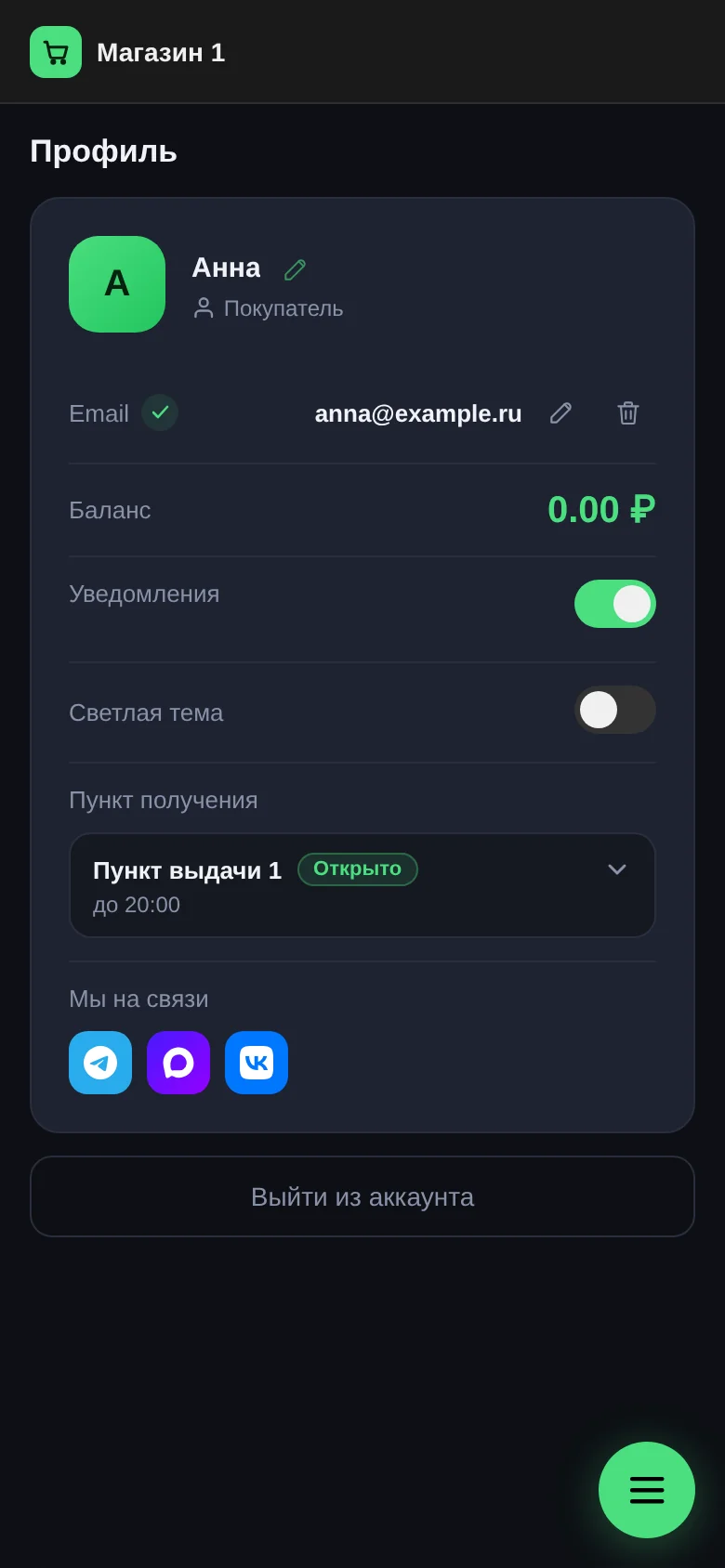
- "Profile" → "Login email".
- Enter your address and the code from the email.
- A "verified" mark appears next to the address.
A shop may accept email only from certain domains. In that case the app tells you which addresses work. More: "Email sign-in".
How long do you stay signed in?
You stay signed in for 30 days, and this renews automatically while you use the app. If you open it at least once every two weeks, you won't need to sign in again.
Next step: the app icon on your home screen.
Questions and answers
I submitted a request but can't order.
You can order after your first sign-in with the PIN. Until the PIN is entered, the account is waiting for approval.
Can I sign up with email?
No. Email is added in the profile after sign-up, and then you can sign in with it.
I changed phones. What should I do?
Sign in on the new phone with any method: PIN, call, MAX or email. Orders are linked to your number, not to the device.