In short
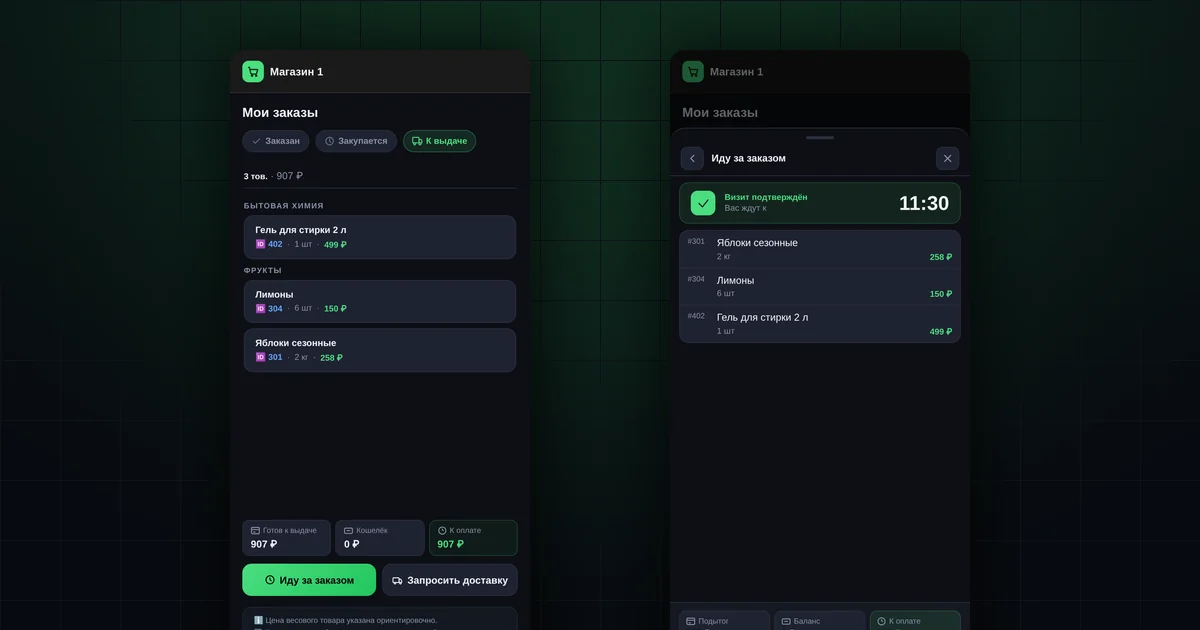
- Three tabs: "Ordered", "Purchasing", "Ready".
- "To pay" is the total of ready orders minus your balance, if the shop keeps one.
- The "Pick up order" button lets the organizer know you are coming.
- The pickup point address and hours are in "Profile".
- Collected orders are not shown in this section.
What do the order statuses mean?
| Tab | What's happening | Can you cancel? |
|---|---|---|
| "Ordered" | The collection is still open; your order is accepted | Yes, while the collection is open |
| "Purchasing" | The collection is closed; the organizer is ordering from the supplier | No |
| "Ready" | The goods have arrived; you can collect your order | No |
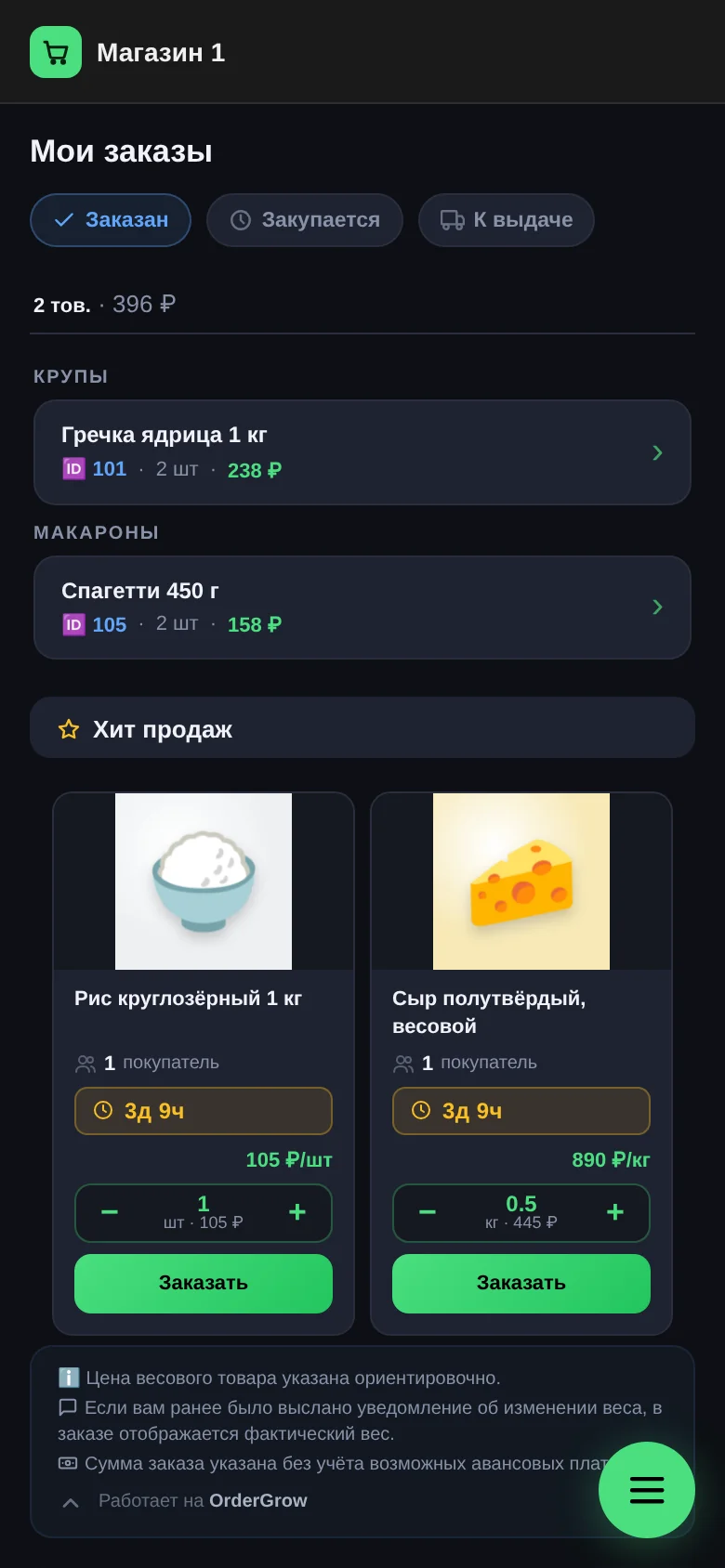
You get a notification when an order moves to "Purchasing" and to "Ready".
How is the "To pay" amount calculated?
At the bottom of the "Ready" tab there are three lines:
- "Ready for pickup": the total of all ready orders;
- "Wallet": your balance with the shop, if the organizer takes prepayments. If not, it is 0;
- "To pay": the total minus the balance.
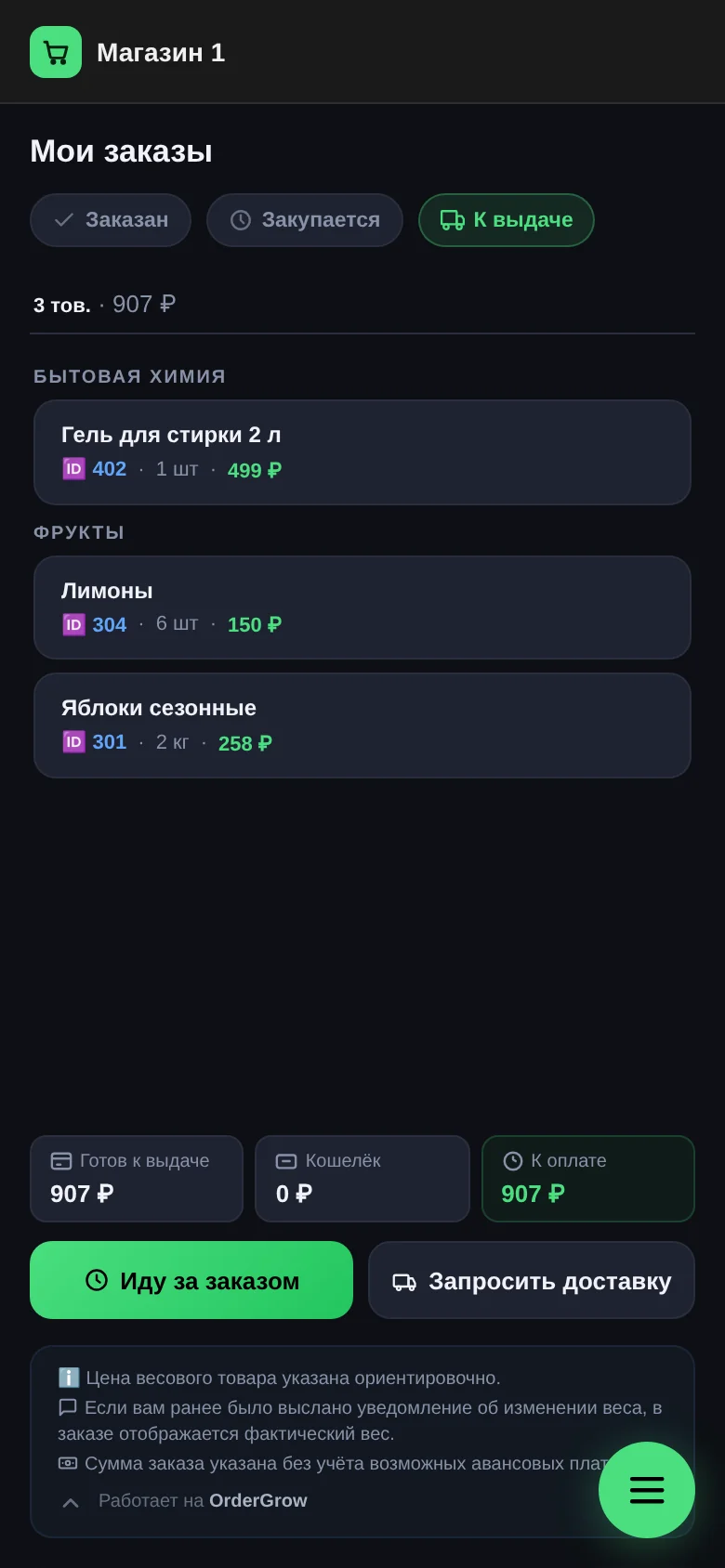
The price of weighed products is approximate. If the actual weight differs, the amount is recalculated and you get a notification. There are no payments in the app; your organizer will tell you how to pay.
How do you let the organizer know you're coming?
- On the "Ready" tab, tap "Pick up order".
- Choose when you'll arrive: "Already going", in 15, 30 or 45 minutes, or in an hour. Tap "Notify".
- Wait for a reply: "Visit confirmed" with the time you're expected, or "Cannot accept now". In the second case, message your organizer or choose another time.
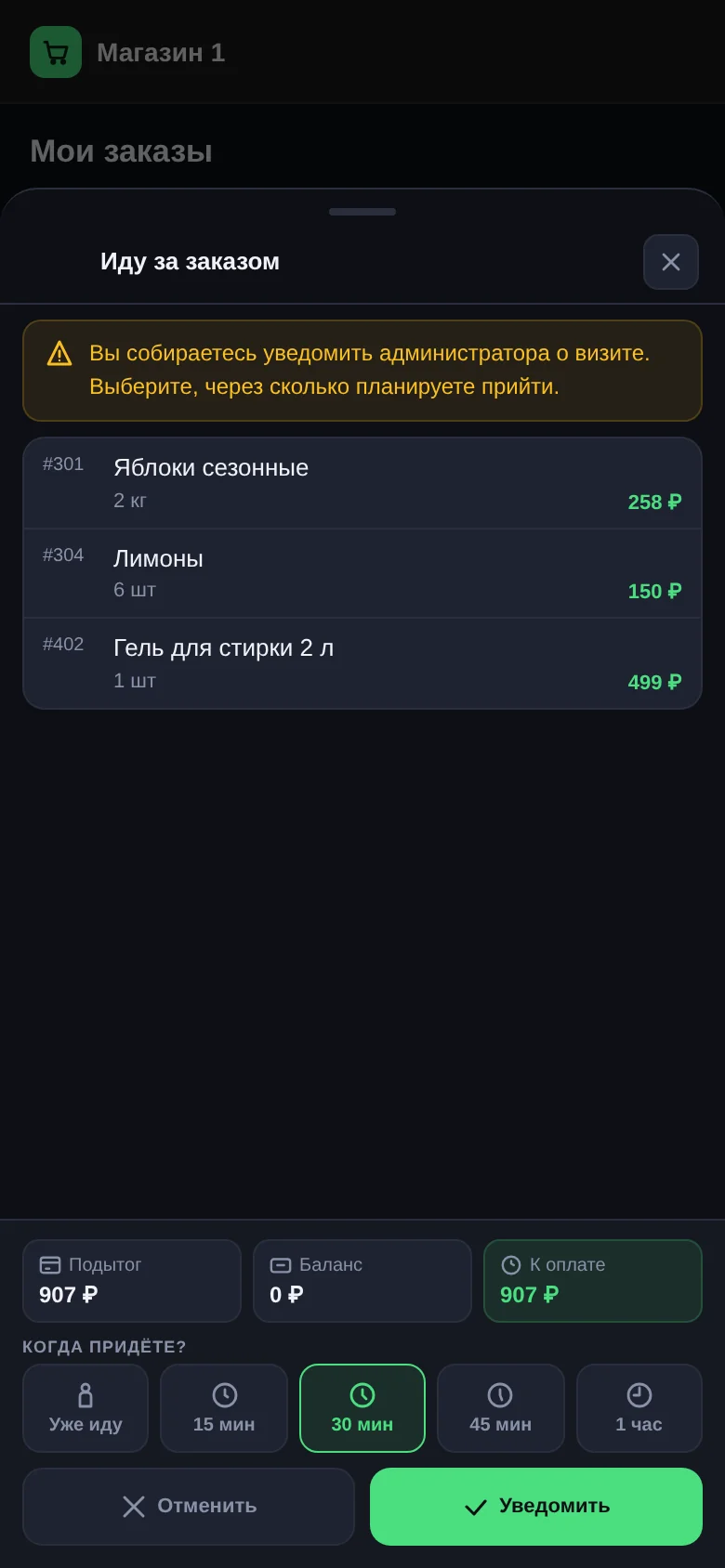
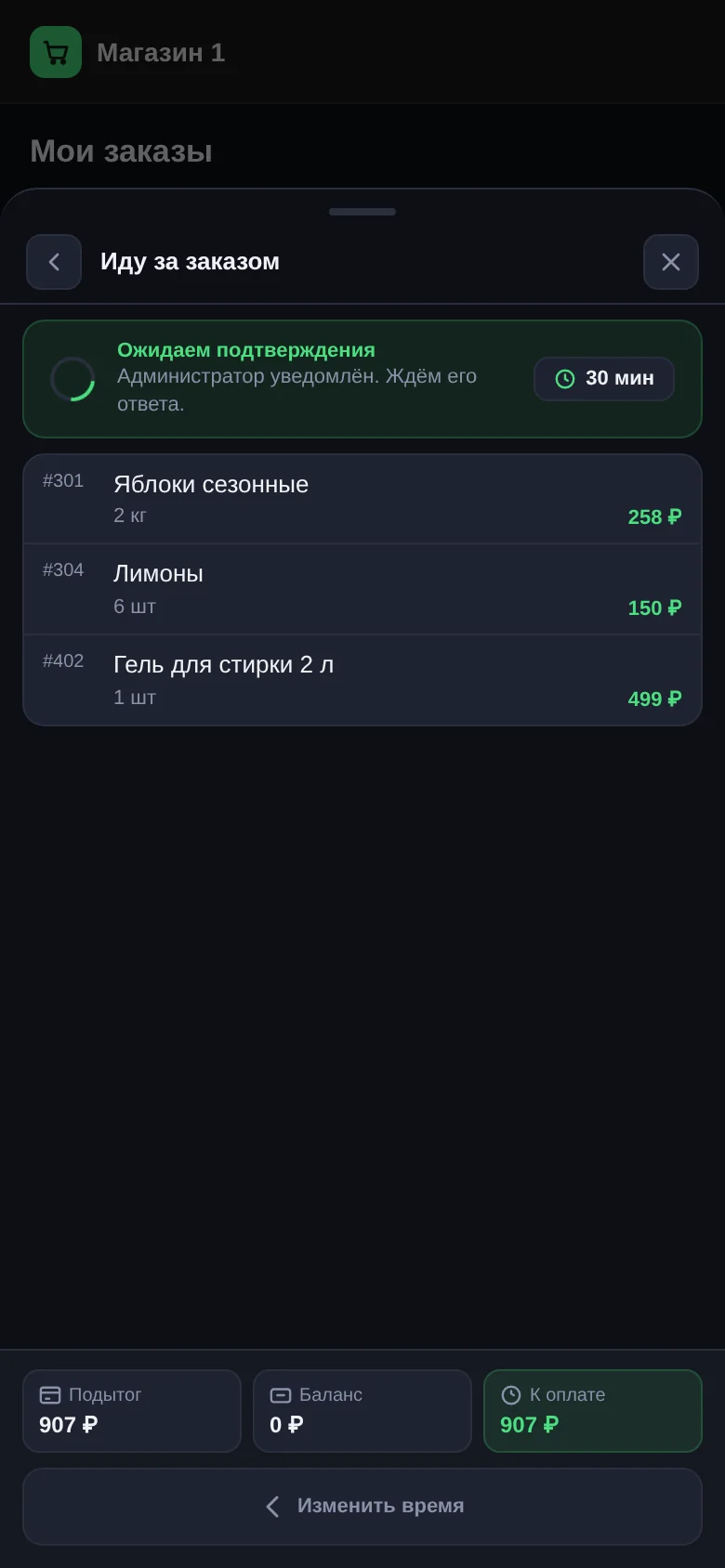
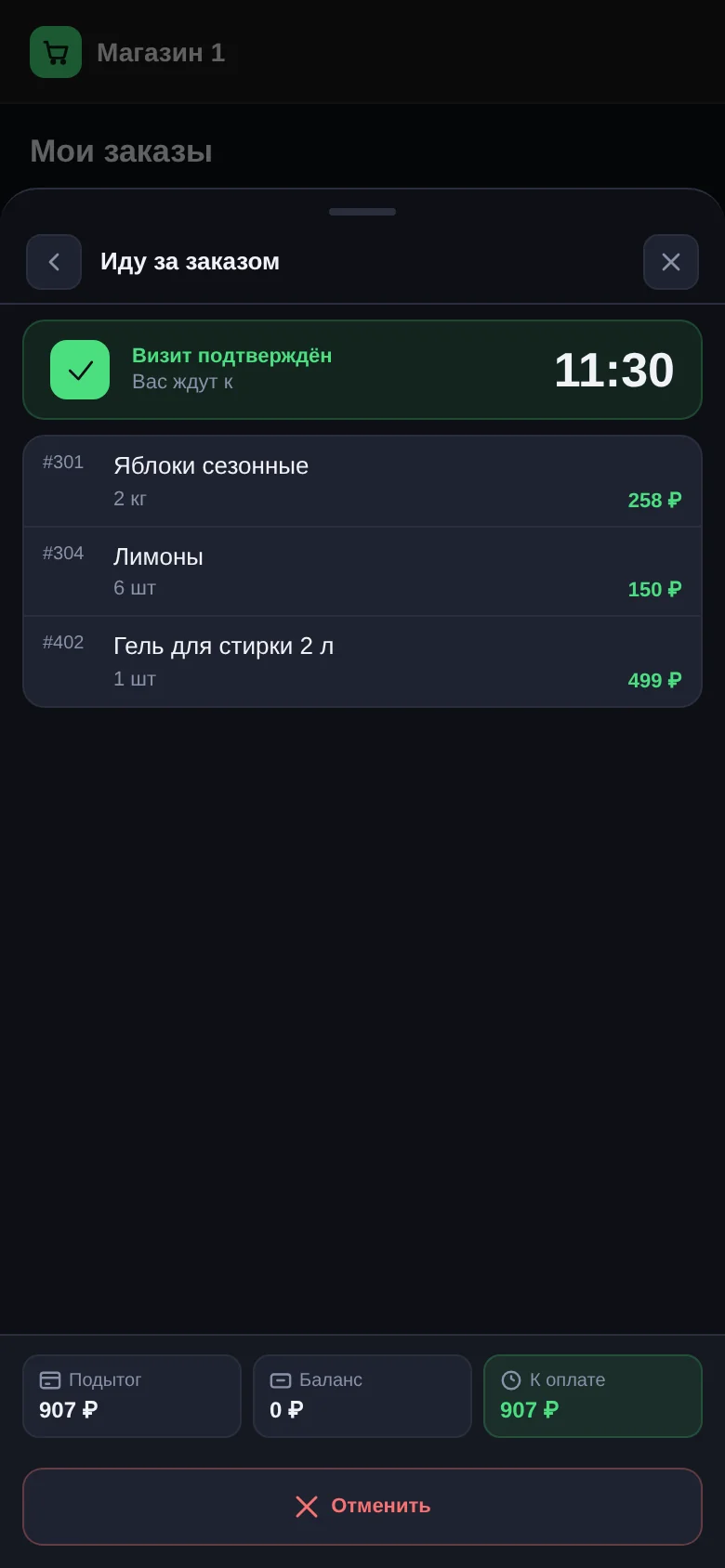
This way the organizer gets your order ready in advance and you don't have to wait.
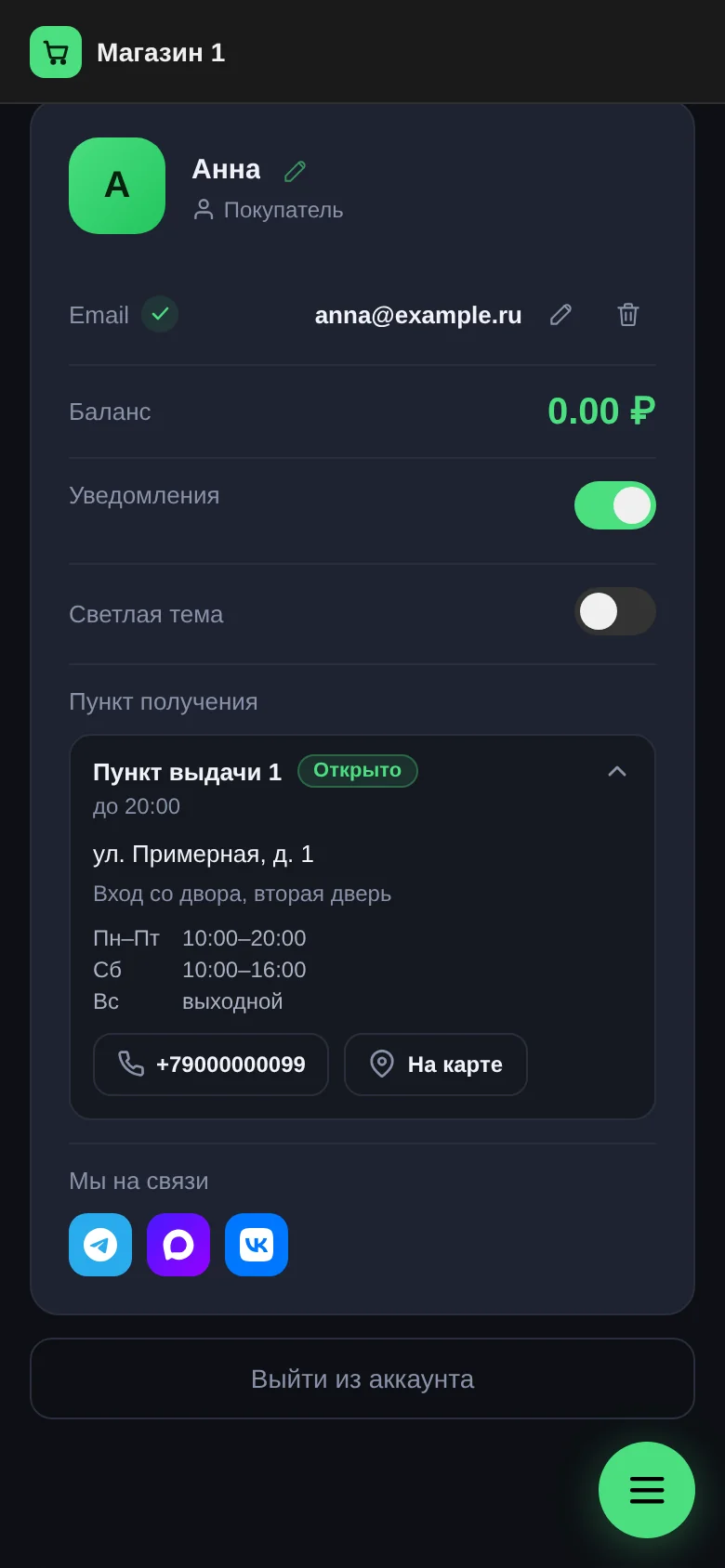
Where are the pickup point address and hours?
In "Profile" → "Pickup point". It shows the address, a "How to find" hint, pickup hours, and whether it is "Open" or "Closed" right now. The "On the map" button opens directions. More: "Pickup points".
Can you request delivery?
If your shop delivers, the "Ready" tab has a "Request delivery" button.
- Enter your address; you can save up to three.
- Choose a convenient time. The operator agrees the exact time when confirming.
- Send the request.
The delivery status is shown in the app, and you get a notification at each step. The terms — free above a certain amount, or paid — are set by the shop and shown on the delivery screen. How delivery works: "Delivery management".
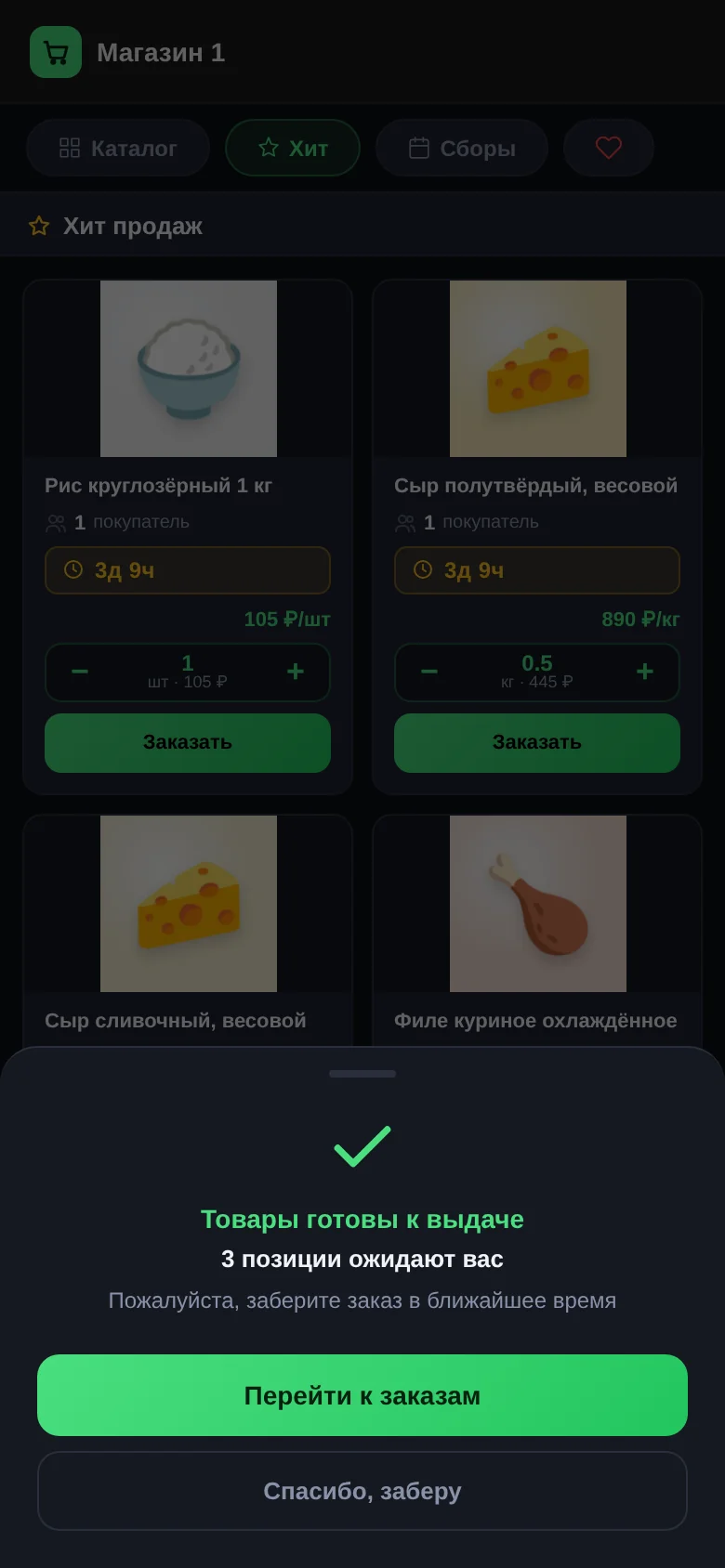
Why does the app remind you about ready orders?
If you have orders that are "Ready", once a day, when you open the catalog, you'll see an "Orders ready for pickup" window with "Go to orders" and "Thanks, I'll pick it up". It is a reminder so your order doesn't sit too long.
Where are collected orders?
The "Orders" section shows only current orders: ordered, purchasing and ready for pickup. Collected and cancelled orders are not shown here. The contents of each pickup come in a notification and stay in the "News" section.
Questions and answers
Can I collect part of my order?
Yes. The organizer marks what you've taken, and the rest stays "Ready".
Why did the amount to pay change?
Most often the weight of a weighed product was confirmed, or the organizer changed the quantity because the supplier delivered less. You get a notification about it.
Can I cancel an order that is already "Ready"?
No, it can't be cancelled in the app. If you can't collect it, message your organizer.