In short
- The organizer manages the balance: tops it up, deducts from it, resets it to zero.
- The buyer sees their balance in their profile and the "To pay" amount in their orders.
- The balance can be negative, which means a debt.
- Every transaction is saved in the history along with who made it.
- At pickup, payment can be deducted from the wallet.
Why have a wallet if the app doesn't take payments?
The app doesn't take money; it keeps records. The buyer pays you the way you agreed, and the wallet remembers how much they paid in advance and how much they still owe. At pickup, this amount is taken into account automatically.
How do you top up or change a balance?
- Open "Members" and the buyer's card.
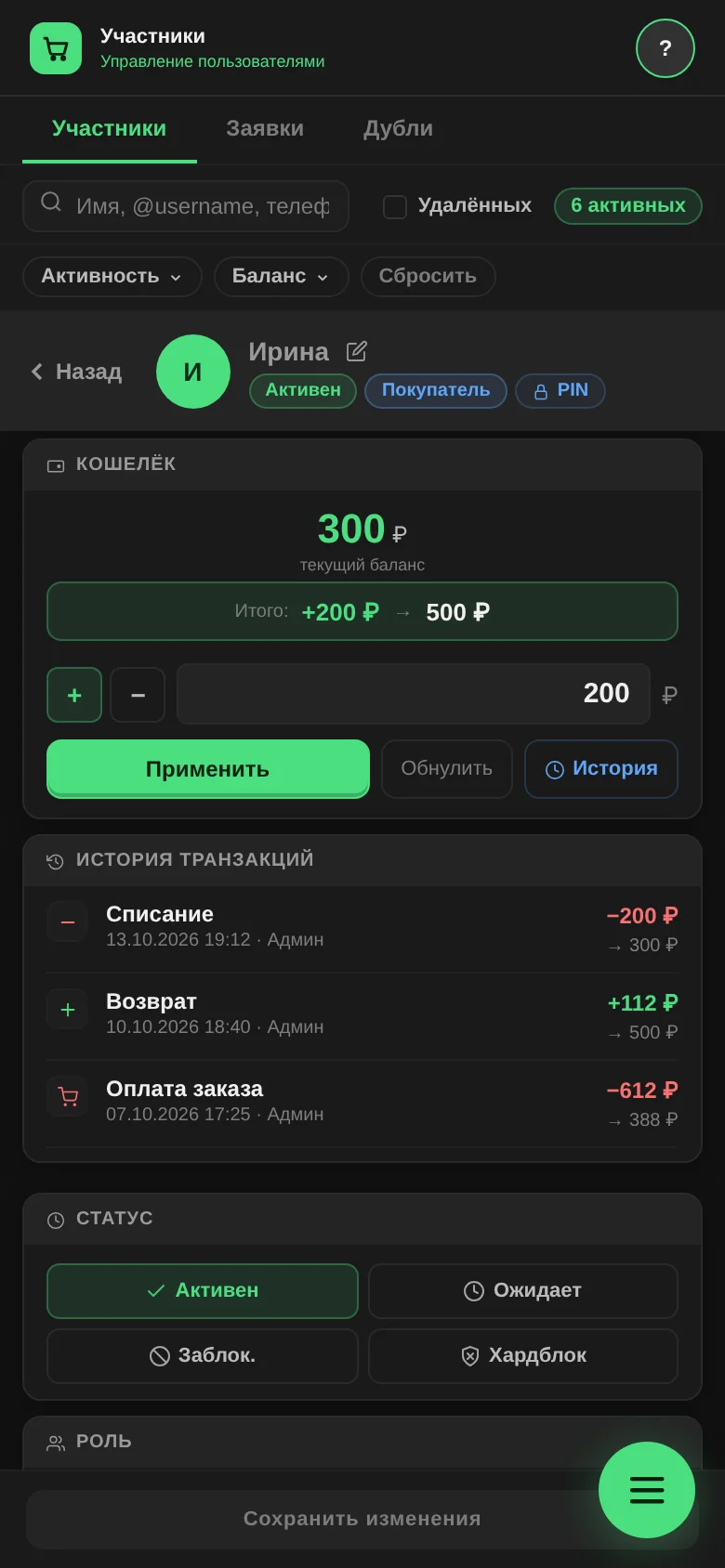
- In the "Wallet" block, tap "+" or "−" and enter the amount.
- Below the field you see what the balance will become. Tap "Apply".
"Reset to zero" sets the balance to zero; the software asks you to confirm first.
What does the buyer see?
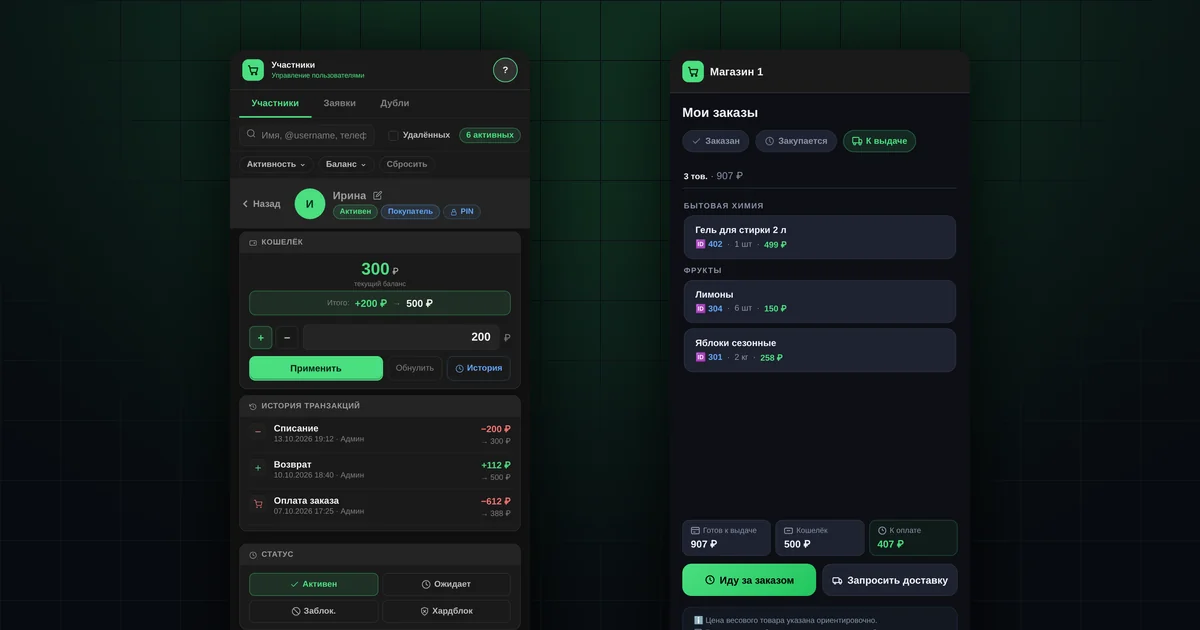
- In their profile, a "Balance" line.
- In "Orders", on the "Ready" tab, three lines: "Ready for pickup", "Wallet" and "To pay". "To pay" is the total of ready orders minus the balance.
- A notification each time the balance changes: "Balance topped up" or "Balance adjusted".

More on what the buyer sees: the guide "My orders and pickup".
How do you deduct payment from the wallet at pickup?
When you hand out an order with "Pay" ticked, the software offers three options:
| Option | What happens |
|---|---|
| "Deduct available balance" | As much as is on the balance is deducted; it won't go below zero |
| "Deduct the full amount" | The full amount is deducted; the balance may become negative |
| "Don't deduct" | The wallet stays unchanged |
The deduction is saved in the history as "Order payment". More about pickup: "How to hand out orders".
What is a negative balance?
It is the buyer's debt. In the card, the amount is labelled "debt". The member list has a balance filter ("Positive", "Zero", "Negative"), so you can quickly find everyone who owes you.
Where can you see the transaction history?
The "History" button in the "Wallet" block shows the last 50 transactions:
- "Top-up";
- "Deduction";
- "Order payment";
- "Refund";
- "Manual correction".
Each transaction shows which admin made it. This helps when a buyer asks where an amount came from. The history of completed deliveries is kept separately, in the "Completed" tab of the "Delivery" section.
What the wallet doesn't do
- It doesn't accept card payments or issue receipts.
- It doesn't deduct money when an order is placed. The balance changes only when an admin tops it up or adjusts it manually, or deducts payment at pickup.
Questions and answers
Can you change the balance of several buyers at once?
No, the balance is changed in each buyer's card.
Will the buyer know about a deduction?
Yes, a notification arrives whenever an admin changes the balance.
What happens to the balance if you merge two profiles of the same buyer?
The software asks whether to combine the balances or keep one of them. More in the article on merging duplicates.