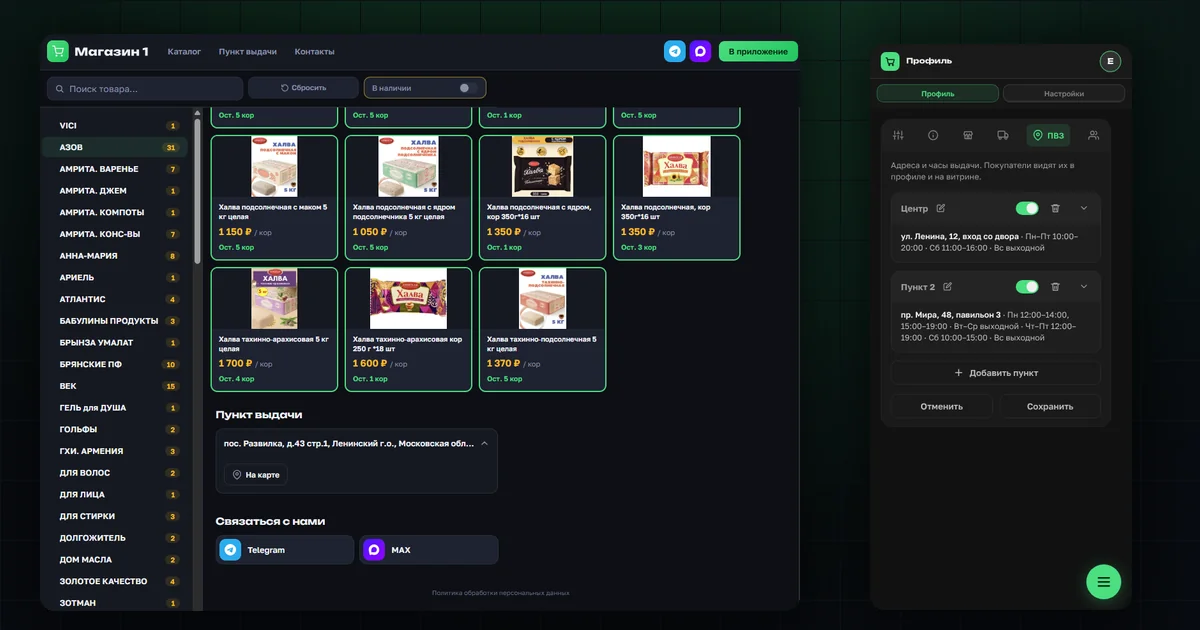
A buyer who arrived from an ad or a chat used to see only the catalog on the shop page. The pickup address, opening hours and links to the shop's groups opened only after sign-up, in the profile. Now the shop page is a full page of the shop in the online sales and group buying software, and all of this is visible right away. The data comes from the settings that the shop or group buying organizer has already filled in for the buyer's profile, so there is nothing to enter again.
It works in Russian and English, on phone and desktop, in light and dark themes.
Where to collect an order — visible before sign-up
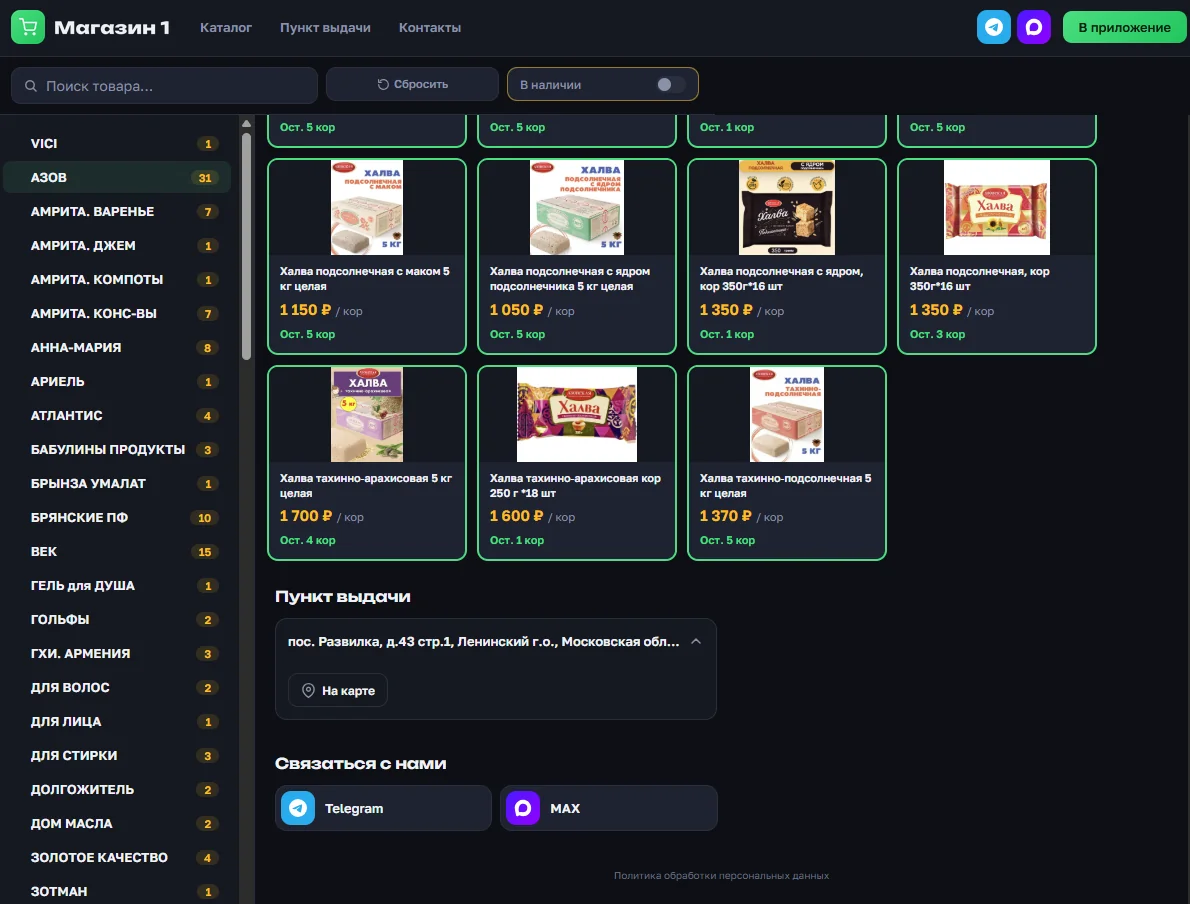
A "Pickup points" block now sits at the bottom of the shop page. Each point shows its name, address, a "how to find it" note and the schedule by day. An "Open" or "Closed" badge tells whether the point is working right now, and a hint next to it adds "until 20:00" or "opens tomorrow at 12:00". Below are a button with the phone number and an "On the map" button. On desktop the points are laid out in two columns, on phone in one.
A buyer coming from an ad immediately sees whether picking up orders is convenient for them — before signing up.
How to contact the shop right from the shop page
Previously, only signed-up buyers saw links to the shop's groups and messengers. Now the shop page has a "Get in touch" block with a tile for each channel, showing its icon and name: Telegram, MAX, VK, WhatsApp and any other channels the shop or group buying organizer has turned on. On desktop the same icons sit in the shop page header.
This way a buyer can first join the shop's group and see how purchases go, and sign up later. The shop's Telegram bot is not shown on the shop page — as before, it appears only in the buyer's profile.
Links in the shop page header
The header now has "Catalog · Pickup points · Contacts" links that jump to the right block in one tap. On phone they sit in a row under the shop name. If the shop or group buying organizer has turned on neither pickup points nor contact channels, there are no links or blocks, and the shop page looks as before.
Product tiles — the same as in the app
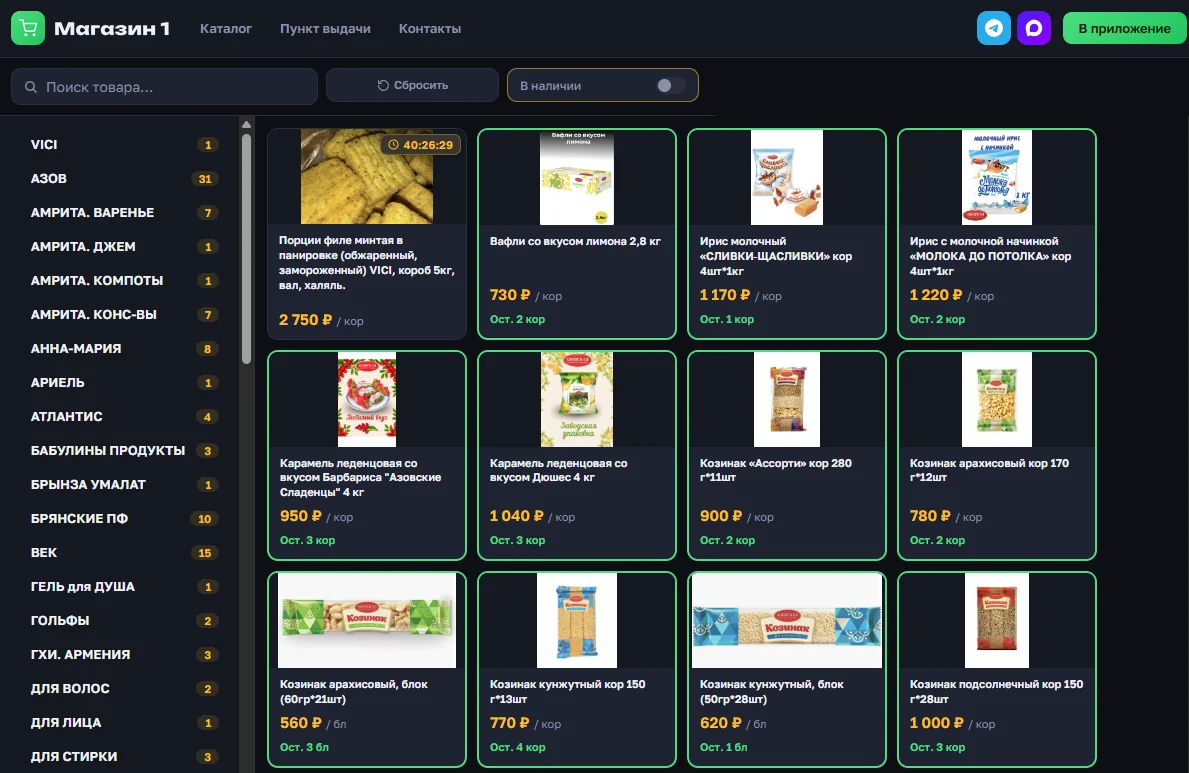
Tiles on the shop page are now the same as in the app catalog, only without the "Order" button. The collection timer sits on the photo, the price is large on its own line, and the stock is shown on the line below. If the collection deadline has passed but the collection is not closed yet, a red "Hurry up!" badge appears on the tile. How filters and search work in the catalog is covered in the article Catalog: filters and search.
What a shop or group buying organizer needs to set up
There is nothing separate to turn on: the shop page shows what is already set up in the "Pickup points" tab and the "About" section. How to add pickup points is explained in Order pickup points, and contact channels in Contact channels with customers.
The toggles for pickup points and contact channels are now labeled "Show in profile and showcase": whatever is turned on is visible in both places. A Telegram group appears on the shop page if its t.me/… link has been added to the contact channels.
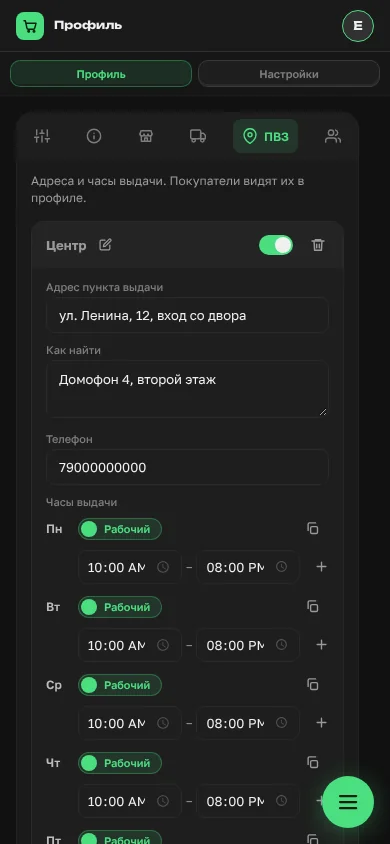
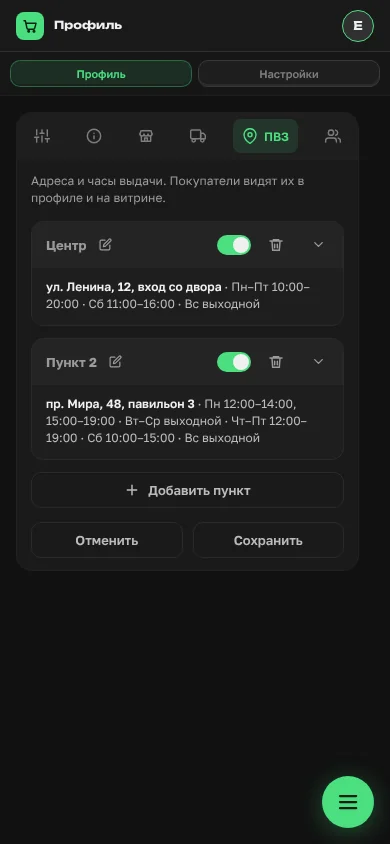
In the "Pickup points" tab, points are now collapsed. Previously each one was fully expanded, with the address, phone and hours for seven days, and with a second point the tab became long. Now a short summary sits under the name: "address · Mon–Fri 10:00–20:00 · Sat 11:00–16:00 · Sun closed". Tapping the header or the arrow expands the point. A new point opens straight away, and if a point has an error on save, it expands by itself and highlights the field.
The shop page opens only if it is turned on and the business details are filled in on the "Showcase" tab. Otherwise the link leads to the sign-in page. The shop page address is the shop address with /showcase at the end. How to turn it on is described in Public shop page in OrderGrow.
What's next
You can put the shop page link in ads, groups and listings: a buyer will see the catalog, pickup points and contacts on one page — both for sales from stock and for pre-order collections. You can try the whole group buying software in OrderGrow Lab — seven days free.